Why Working from Home Hurts Your Back: 2026 Guide
Back pain from remote work is defined as musculoskeletal strain caused by prolonged static sitting, non-ergonomic furniture, and reduced physical movement. These three factors combine to place mechanical stress on spinal discs, muscles, and joints that the human body was never designed to sustain for hours at a time. 59.1% of remote workers report back pain or musculoskeletal symptoms, and the numbers keep climbing as home offices become permanent. Understanding why working from home hurts your back is the first step toward fixing it.
Why does working from home hurt your back?
The core problem is prolonged static sitting combined with spinal structures that depend on movement to stay healthy. When you sit still for hours, your intervertebral discs lose the fluid exchange they need to stay hydrated and nourished. Cumulative mechanical load from static sitting causes progressive disc degeneration because discs have no direct blood supply. They rely entirely on movement to pump nutrients in and waste products out.
Remote workers sit significantly longer than their office counterparts. Hybrid workers average 11.08 hours of sitting per day, a figure that far exceeds what most people realize they are doing. That extra sitting time is not neutral. Every hour of static posture increases intradiscal pressure, compresses spinal facet joints, and fatigues the deep stabilizing muscles that hold your spine upright.
Here is what happens inside your spine during a long remote workday:
- Disc compression: Sitting increases pressure inside lumbar discs compared to standing. Sustained pressure squeezes fluid out and limits nutrient delivery.
- Muscle fatigue: Deep spinal stabilizers like the multifidus tire within 20–30 minutes of static loading. Once fatigued, larger surface muscles compensate and create uneven tension.
- Reduced blood flow: Prolonged sitting cuts circulation to spinal muscles, slowing recovery and increasing the buildup of metabolic waste that triggers pain signals.
- Postural collapse: As stabilizers fatigue, the spine drifts into a flexed “C” curve. This position increases strain on posterior disc walls and spinal ligaments.
Back pain from remote work is rarely an acute injury. It is cumulative mechanical load building over weeks and months until the body signals distress. That distinction matters because it means the fix is also gradual, not a single purchase or one good stretch session.
What home office setup mistakes cause the most back pain?
72.1% of remote employees score as high risk for musculoskeletal strain on the Rapid Office Strain Assessment (ROSA), a validated clinical tool that evaluates chair, monitor, keyboard, and mouse positioning. That statistic reflects how poorly most home offices are configured. The gap between a functional ergonomic setup and what most people actually use is wide.
Non-ergonomic furniture
Couches, kitchen chairs, and dining tables are the most common culprits behind home office back issues. A couch offers no lumbar support and encourages a reclined, flexed spine. A kitchen chair typically lacks adjustability, forcing workers into a fixed position that rarely matches their body dimensions. Younger remote workers are increasingly suffering chronic back and neck issues because they spend years at dining tables never designed for eight-hour workdays.

Laptop ergonomics
Laptops create an unavoidable trade-off. Laptop screen and keyboard positioning forces a compromise: lower the screen to a comfortable keyboard height and you strain your neck looking down, or raise it to eye level and your wrists and shoulders take the load. The only real solution is to treat the laptop as a processing unit only. Pair it with an external keyboard, mouse, and a monitor or riser set at eye level. This is not a luxury upgrade. It is the baseline for preventing neck and shoulder strain during long sessions.
Chair fit and lumbar support
Chair height, seat depth, and lumbar support each affect spinal alignment in distinct ways. A proper seat depth requires a 2–3 finger gap between the seat edge and the back of your knees. A seat pan that is too long presses into the back of the knees, cuts circulation, and pulls the pelvis forward so lumbar support becomes useless. Chair height should allow your feet to rest flat on the floor with hips at or slightly above knee level. The impact of chair height on lumbar alignment is direct: too low tilts the pelvis backward, too high shifts weight onto the thighs and reduces spinal stability.
Pro Tip: Set your monitor so the top of the screen sits at or just below eye level. Your gaze should fall naturally to the center of the screen without tilting your head up or down.
A functional ergonomic home office upgrade costs between $300 and $1,200 on average, covering an adjustable chair, monitor riser, and lumbar support. That range is wide enough to accommodate most budgets without requiring a full office remodel.
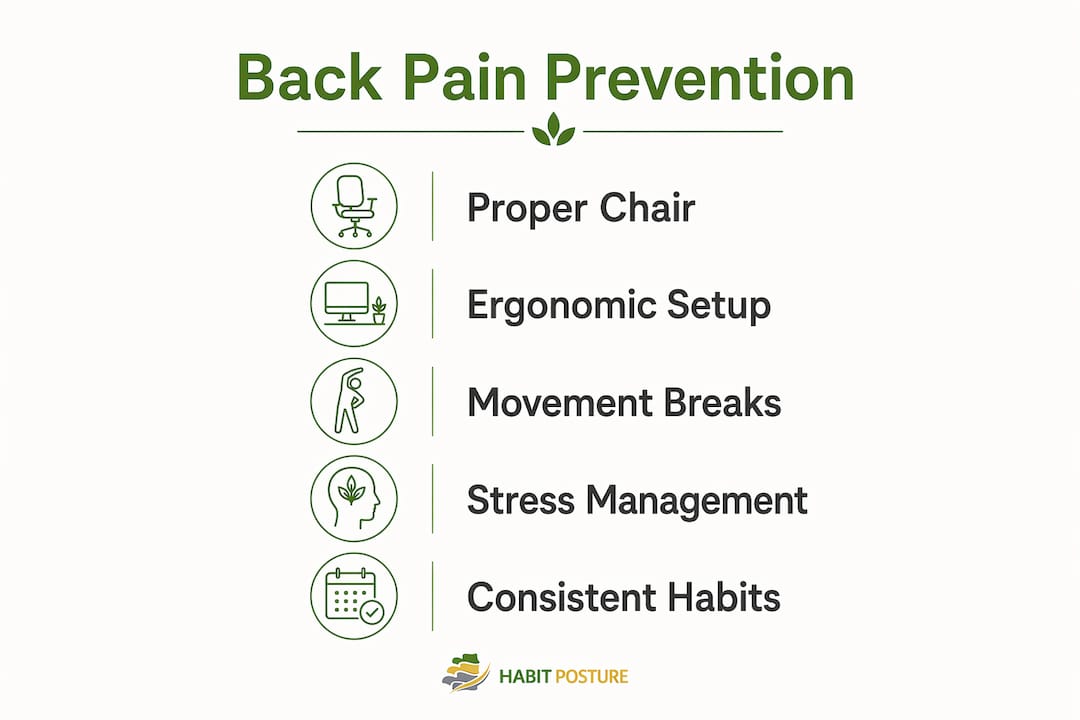
How do movement breaks prevent and relieve back pain?
Movement is the most underused tool for preventing back pain in remote workers. Spinal discs have no blood supply, so they depend on the compression and decompression cycle of movement to absorb nutrients and expel waste. Static sitting stops that cycle entirely.
The most effective intervention for remote workers is reallocating sitting time into moderate-to-vigorous physical activity (MVPA). Buying better gear helps, but it does not replace the physiological benefit of actual movement. MVPA includes brisk walking, cycling, or any activity that raises your heart rate for sustained periods.
For the workday itself, structured movement breaks are the practical solution:
- The 20-20-20 rule: Every 20 minutes, stand and move for at least 20 seconds. This interrupts static loading and restores blood flow to spinal muscles.
- Hourly resets: Stand, walk to another room, or do 5–10 bodyweight squats. These movement breaks reduce the odds of musculoskeletal symptoms by maintaining normal spinal joint motion.
- Stretching exercises for back pain: Hip flexor stretches, cat-cow spinal mobilizations, and thoracic rotations directly counter the postural patterns that sitting creates. Hold each stretch for 20–30 seconds and repeat twice per session.
- Walking meetings: Replace seated video calls with phone calls taken on foot. This adds MVPA without cutting into productive work time.
Pro Tip: Set a recurring phone alarm every 30 minutes labeled “stand.” It takes three seconds to dismiss and two weeks to build the habit. After that, your body starts prompting you before the alarm does.
The posture changes that happen during long desk sessions are not random. They follow a predictable pattern of fatigue and compensation that movement breaks interrupt before pain sets in.
How does stress make remote work back pain worse?
Stress is a direct physical contributor to back pain, not just a psychological one. When the nervous system perceives threat or sustained pressure, muscles near the shoulders, neck, and upper back contract and stay contracted. This is called muscle guarding. Stress-induced muscle guarding creates a feedback loop: tension causes pain, pain increases stress, and increased stress deepens the tension.
Remote work amplifies this cycle in specific ways:
- Longer hours: Without a commute or physical office boundary, remote workers often extend their workday without noticing. More hours means more cumulative load and less recovery time.
- Blurred boundaries: Working from a bedroom or living room keeps the nervous system in a low-level alert state. The brain associates those spaces with both rest and work, which prevents full recovery.
- Reduced social movement: Office environments naturally prompt walking, standing, and brief physical interactions. Remote work removes those prompts entirely.
Nervous system sensitization compounds the problem over time. Chronic pain signals lower the threshold for future pain perception, meaning the same posture that caused mild discomfort in month one causes significant pain by month six. Stress management practices like diaphragmatic breathing, scheduled screen-free breaks, and consistent sleep schedules reduce muscle guarding and interrupt the feedback loop before it becomes chronic. The bedroom office setup carries specific risks that most remote workers overlook entirely.
Key Takeaways
Back pain from remote work results from prolonged static sitting, poor ergonomic setups, inadequate movement, and stress-driven muscle guarding acting together on spinal structures.
| Point | Details |
|---|---|
| Sitting time is the root cause | Hybrid workers average 11.08 hours of sitting daily, far exceeding safe thresholds for spinal health. |
| Ergonomic risk is widespread | 72.1% of remote employees score as high risk on the ROSA assessment due to poor home office setups. |
| Movement beats gear alone | Reallocating sitting time into MVPA reduces musculoskeletal symptoms more effectively than equipment upgrades alone. |
| Chair fit details matter | A 2–3 finger seat depth gap and correct chair height directly determine whether lumbar support actually works. |
| Stress compounds physical pain | Muscle guarding from stress creates a feedback loop that worsens posture-related pain and limits recovery. |
What I’ve learned after years of watching remote workers hurt themselves
The most common mistake I see is treating back pain as a gear problem. Someone buys an expensive chair, feels better for two weeks, and then slides back into the same pain because nothing changed about how they move or manage stress. Equipment is a foundation, not a fix.
The second mistake is expecting fast results. Back pain from remote work builds over months. Recovery follows the same timeline. Workers who commit to movement breaks, correct their chair setup, and address stress see real improvement, but rarely before six to eight weeks of consistent change.
What most articles skip is the laptop issue. Treating a laptop as a full workstation is the single most common ergonomic error I encounter. An external monitor, keyboard, and mouse cost less than one month of physical therapy and prevent the neck and shoulder strain that compounds lower back problems. If you work from a laptop screen all day, that is the first thing to change.
Seek professional assessment when pain persists beyond four weeks despite setup changes and movement breaks. A physical therapist or chiropractor can identify whether the issue is muscular, discogenic, or joint-related, and that distinction changes the treatment entirely. Self-diagnosis delays recovery more than any ergonomic mistake.
— Thomas
Posture support built for the remote work reality
Back pain does not fix itself by sitting differently for one afternoon. It requires consistent reinforcement of better habits throughout the workday, which is exactly what Habitposture is built for.
Habitposture designs posture support gear for people who spend eight or more hours at a screen, whether that is a home office, a gaming setup, or a kitchen table that became a permanent desk. The gear works while you work. No bulky braces, no complicated routines. Slip it on and let your body relearn what good alignment feels like over time. Remote workers dealing with home office back pain can find practical support options at Habitposture. Posture is a habit. The right support makes building that habit significantly easier.
FAQ
Why does my back hurt more working from home than at the office?
Home offices typically lack ergonomic furniture and natural movement prompts. Remote workers also sit longer on average, with hybrid workers averaging 11.08 hours of daily sitting compared to shorter office-based sessions.
What is the fastest way to relieve back pain from sitting all day?
Stand and move for at least 20 seconds every 20 minutes. Hip flexor stretches and cat-cow spinal mobilizations directly counter the postural compression that prolonged sitting creates.
Does an ergonomic chair fix remote work back pain on its own?
An ergonomic chair reduces mechanical stress but does not replace movement. The most effective approach combines correct chair setup with regular movement breaks and moderate physical activity throughout the day.
How does stress cause back pain when working from home?
Stress triggers muscle guarding near the shoulders and neck, which creates a feedback loop where tension increases pain and pain increases tension. Managing stress directly reduces this physical response.
When should I see a doctor about work-from-home back pain?
Seek professional assessment if pain persists beyond four weeks despite ergonomic changes and movement breaks. A physical therapist can determine whether the cause is muscular, discogenic, or joint-related.