Why Home Office Chairs Fail: What Remote Workers Must Know
Home office chair failure is defined as the progressive loss of mechanical function, material support, or ergonomic fit that degrades comfort and productivity during extended desk work. Most budget chairs from big-box stores fail within 1–3 years, while premium ergonomic chairs can last 15 or more years with proper care. That gap exists because of three predictable failure categories: mechanical breakdown, material degradation, and ergonomic mismatch. Understanding why home office chairs fail is the first step toward fixing the right problem, not just buying a replacement you’ll regret in 18 months.
Why do home office chairs fail mechanically?
Mechanical failure is the most visible category, and it almost always starts with one of four components. Wobbly chairs fail at seat-to-control box bolts, gas cylinder seals, tilt bushings, and caster socket connections. Each of these points experiences stress every single time you sit down, shift weight, or recline.

The pneumatic gas cylinder is the most common single point of failure. When the chair slowly sinks during a work session, the cylinder seal has worn out and can no longer hold pressure. Replacing the cylinder costs roughly $30 and takes under 30 minutes. That is a straightforward fix most people never attempt because they assume the whole chair is broken.
Tilt mechanisms develop grinding noises and stiff recline when the internal bushings wear down. This is not a sign the chair is about to collapse. It is a sign the mechanism needs lubrication or a bushing replacement. Ignoring it accelerates wear on surrounding metal components, turning a $15 fix into a $150 problem.
Height adjustment failures are less obvious but equally frustrating. Debris at the actuator pin blocks the gas cylinder from releasing, and forcing the lever damages the seal permanently. About 60–70% of lever failures in mid-range chairs trace back to debris or manufacturing tolerances, not a broken lever.
- Gas cylinder sinking. The seal wears out under daily load cycling. Replace the cylinder for approximately $30.
- Tilt mechanism grinding. Worn bushings create friction. Clean and lubricate with white lithium grease.
- Base wobble. Loose seat-to-control box bolts are the most common cause. Tighten every six months.
- Caster socket play. Worn sockets allow lateral movement. Replace individual casters for under $20.
- Lever failure. Clear debris from the actuator pin before assuming the lever is broken.
Pro Tip: Tighten all accessible bolts every six months and apply a small amount of white lithium grease to the tilt mechanism. This single habit prevents the majority of common mechanical failures.
How do material quality and foam degradation cause chair failure?
Material failure is the sneakiest category because it happens gradually. You do not notice the chair getting worse day by day. You just notice one afternoon that your lower back aches by 2 PM and you cannot figure out why.
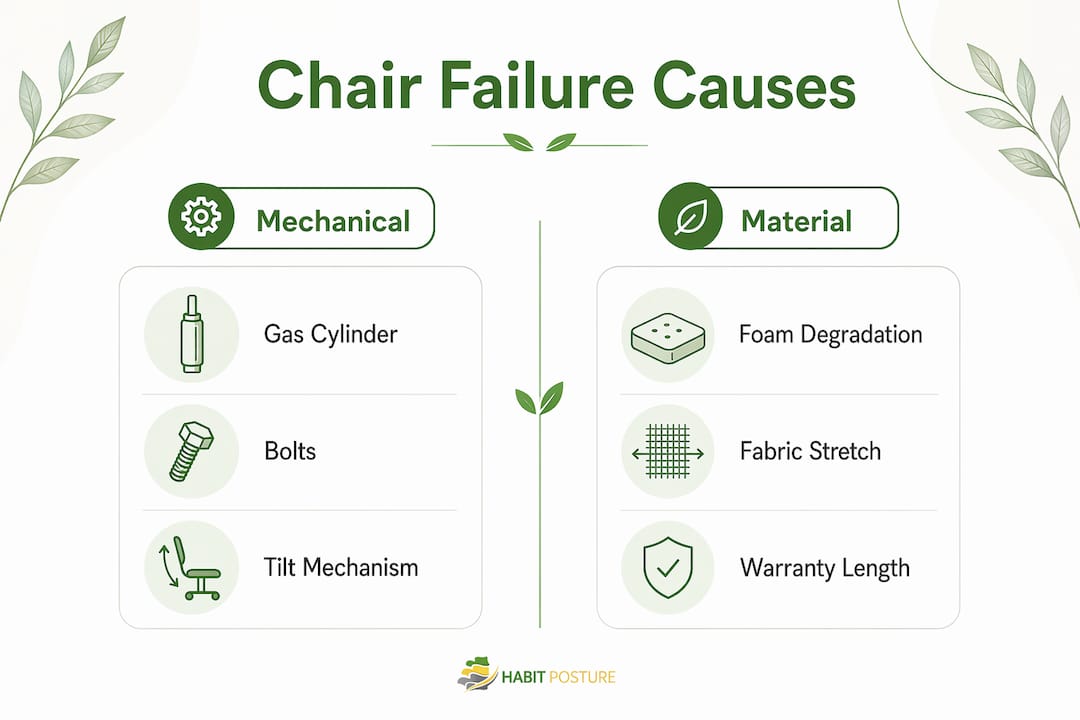
Foam is the core culprit. Cheap foam compresses quickly, losing its recovery elasticity within six months of daily use. That initial softness is misleading. The foam feels great in the showroom and for the first few weeks at home. Then it flattens, your sitting bones press closer to the hard seat pan, and your spine shifts out of neutral alignment without you realizing it.
Premium foam uses higher-density formulations that maintain shape under repeated compression. The BIFMA 125,000-cycle seating durability test simulates roughly 10 years of use. Chairs that fail this test show premature foam collapse and mechanism failure. Budget chairs rarely meet this standard, which explains the 1–3 year failure window.
Fabric and surface materials follow the same pattern. Mesh stretches over time, reducing the tension that provides lumbar and seat support. Bonded leather cracks within two years under regular use and UV exposure. Genuine leather and high-grade mesh hold up significantly longer, but only if the underlying foam and frame support them properly.
| Quality indicator | Budget chairs | Premium chairs |
|---|---|---|
| Foam density | Low, flattens in 6 months | High, maintains shape for years |
| Fabric durability | Mesh stretches, bonded leather cracks | High-grade mesh or genuine leather |
| BIFMA test compliance | Rarely meets standard | Typically meets or exceeds |
| Warranty length | 1–2 years | 5–15 years |
| Frame construction | Plastic-heavy, flex under load | Steel or reinforced nylon |
Warranty duration is a more reliable proxy for build quality than price alone. A mid-tier chair with a 5–10 year warranty has been tested to meet strict durability benchmarks. A $400 chair with a one-year warranty has not.
Why does ergonomic mismatch make a chair feel broken?
A chair can be mechanically perfect and still feel terrible. Ergonomic mismatch is the leading cause of perceived chair failure, and it is the category most remote workers overlook entirely. The chair is not broken. It just does not fit your body or your desk setup.
Lumbar support misalignment is the most common ergonomic failure point. The lumbar pad sits too high or too low for your spine’s natural curve, creating pressure in the wrong place. After two hours, your lower back muscles compensate by tensing up. By the end of the day, you feel like you have been sitting on a park bench.
Armrest positioning causes a separate set of problems. Armrests set too high push your shoulders upward, creating tension in the trapezius muscles. Set too low, they offer no support and your arms hang, pulling your shoulders forward. The role of armrests in shoulder and neck health is significant, and most people never adjust them after unboxing the chair.
Seat height relative to desk height is the third major mismatch. When the desk is too high, you raise the chair to reach it comfortably. Your feet then dangle, cutting circulation at the back of your thighs. A footrest solves this, but most remote workers do not own one. The result is numbness, fatigue, and the false conclusion that the chair is the problem.
- Lumbar support should align with the inward curve of your lower back, typically 6–10 inches above the seat.
- Armrests should allow your shoulders to sit relaxed, not raised or dropped.
- Chair height affects posture directly. Your feet should rest flat on the floor or a footrest.
- Seat depth should leave 2–3 inches between the front edge and the back of your knees.
- Tilt tension should allow recline without requiring force, keeping your core relaxed.
Ergonomic failure reduces productivity and well-being just as surely as a broken gas cylinder does. The difference is that a broken cylinder is obvious. Poor ergonomic fit just makes you feel tired and achy without a clear cause.
What maintenance steps extend the life of a home office chair?
Most common home office chair issues are preventable with a simple maintenance routine. About 70% of mechanical problems like sinking and squeaking are repairable at home for under $50 and 30 minutes of work. The barrier is not skill. It is knowing what to check and when.
A practical maintenance schedule looks like this:
- Every month: Wipe down the chair frame, casters, and seat surface. Remove debris from the caster wheels, which collect hair and dust and eventually seize up.
- Every six months: Tighten all accessible bolts and screws. Routine tightening prevents frame wobble and structural issues that develop silently over time.
- Every six months: Apply white lithium grease to the tilt mechanism pivot points. This eliminates squeaks and reduces bushing wear.
- Annually: Inspect the gas cylinder for slow sinking. If the chair drops more than an inch during a work session, replace the cylinder.
- As needed: Clear debris from the gas cylinder actuator pin if the height adjustment stops working. Never force the lever.
Knowing when to repair versus replace saves money and keeps you safe. The 40% rule is a practical threshold: if the cost of repairs plus labor exceeds 40% of the price of a quality replacement chair, replacement is the better choice. A $30 cylinder replacement on a $200 chair makes sense. A $120 repair on a chair that originally cost $80 does not.
Pro Tip: Keep a small kit with a hex wrench set, a Phillips screwdriver, and a tube of white lithium grease near your desk. A 10-minute quarterly check prevents the failures that force a full replacement.
Key Takeaways
Home office chairs fail due to mechanical wear, foam degradation, and ergonomic mismatch, and most failures are preventable with routine maintenance and correct setup.
| Point | Details |
|---|---|
| Mechanical failure is fixable | Most sinking, squeaking, and wobbling issues cost under $50 and 30 minutes to repair at home. |
| Foam quality determines longevity | Budget foam flattens within six months; BIFMA-tested premium foam maintains support for years. |
| Ergonomic mismatch causes real pain | Misaligned lumbar support, armrests, and seat height create fatigue even in mechanically sound chairs. |
| Maintenance prevents most failures | Tightening bolts and lubricating mechanisms every six months extends chair life significantly. |
| Warranty signals build quality | A 5–10 year warranty is a stronger quality indicator than price alone. |
What I have learned from years of watching remote workers suffer in bad chairs
The most surprising thing about chair failure is how rarely it announces itself clearly. Remote workers I have spoken with describe the same pattern: a vague sense of fatigue that builds over weeks, a nagging lower back ache that gets blamed on stress or sleep, and a gradual drop in afternoon focus. The chair is almost never the first suspect.
Hidden mechanical instability is a bigger health issue than most people realize. A wobbly chair forces your core and stabilizing muscles to work constantly just to keep you upright. That is not workload fatigue. That is your body compensating for a chair that cannot do its job. Fix the wobble and the fatigue often drops noticeably within a week.
The ergonomic mismatch problem is even more underestimated. Spending $600 on a premium ergonomic chair and never adjusting it past the factory settings is one of the most common home office chair buying mistakes I see. The chair has eight adjustment points. Most people use two. The lumbar support sits in the wrong position for their spine, the armrests are at the factory default, and the tilt tension is either locked or fully loose. A $200 chair set up correctly will outperform a $600 chair used straight out of the box.
My honest recommendation: before you buy anything new, spend 20 minutes adjusting what you already have. Check the desk setup ergonomics for your specific workday length. Tighten the bolts. Lubricate the tilt. Reposition the lumbar pad. You may find the chair you thought was failing just needed attention. And if it genuinely is worn out, you will replace it with a much clearer understanding of what actually matters.
— Thomas
Better support starts with the right setup
Your chair is only one part of the picture. Posture habits, desk height, and the gear you wear during long sessions all shape how your body feels by the end of the day.

Habitposture builds gear for people who spend 8 or more hours at a screen and need real support without the bulk. Whether you are dealing with neck tension from a chair that sits too low or shoulder fatigue from armrests that never got adjusted, Habitposture’s posture support products work alongside your chair setup to reinforce good habits while you work. Browse the full range of posture support products and find what fits your workday. No lectures. No guilt. Just gear that works.
FAQ
What is the average lifespan of a home office chair?
Budget chairs typically last 1–3 years, while premium ergonomic chairs can last 15 or more years with proper maintenance. The difference comes down to foam density, frame construction, and BIFMA durability test compliance.
What are the most common signs of a bad office chair?
The clearest signs are slow sinking during use, grinding or squeaking when reclining, visible foam flattening, and a persistent ache in your lower back or shoulders after a few hours of sitting.
Can you repair a sinking office chair at home?
Yes. Replacing the pneumatic gas cylinder costs approximately $30 and takes under 30 minutes. This fix resolves the vast majority of sinking issues without requiring a full chair replacement.
Why does an expensive ergonomic chair still feel uncomfortable?
Ergonomic mismatch is the most common cause. If the lumbar support, armrests, and seat height are not adjusted to your body and desk, the chair will cause discomfort regardless of its price or quality rating.
How often should you perform home office chair maintenance?
Tighten all bolts every six months and lubricate the tilt mechanism at the same interval. Clean caster wheels monthly and inspect the gas cylinder annually for pressure loss.