Power Posture Professional: Your Ergonomic Support Guide
“Power posture professional” refers to ergonomic posture-support systems — posture correctors, adjustable back braces, wearable biofeedback sensors, and high-back ergonomic chairs — designed specifically for professionals and screen-based workers who need to reduce neck and shoulder strain and retrain seated posture over long sessions. If you spend long sessions — often 6 or more sedentary hours at a desk, gaming, or working remotely — and your neck starts aching by mid-afternoon, this is exactly the category of gear built for you. Exact device recommendations vary depending on your workstation adjustability and posture needs. Habitposture’s system is one of the most practical places to start.
Key Takeaways
Ergonomic posture support for professionals works best as a system: the right device, fitted correctly, paired with workstation adjustments and regular movement.
| Point | Details |
|---|---|
| Definition | “Power posture professional” means ergonomic support systems (braces, wearables, chairs) for screen-based workers. |
| Top features to prioritize | ANSI/BIFMA compliance for chairs; adjustable fit and breathable materials for braces; customizable feedback for wearables. |
| Fit before everything | Measure seat height, lumbar height, and torso size before buying; a poor fit produces no retraining benefit. |
| Movement is the multiplier | Stand or stretch every 30–40 minutes; no device replaces regular position changes during long sessions. |
| When to seek care | Neurological symptoms, recent trauma, or severe uncontrolled pain require a clinician before any posture gear. |
| Habitposture | Offers posture correctors, back braces, and ergonomic chairs sized for desk workers and gamers, with a low-friction return policy. |
Table of Contents
- What are power posture professional devices and how do they work?
- Who actually benefits from professional posture support?
- Which product features actually improve outcomes?
- How to use posture gear so it actually changes your habits
- What does the research actually support?
- Your compact buying checklist and measurement guide
- The part most buyers skip over
- Habitposture is built for exactly this kind of screen life
- Sources
What are power posture professional devices and how do they work?
Three distinct mechanisms drive results across the main device categories, and understanding which one you need makes buying much simpler.
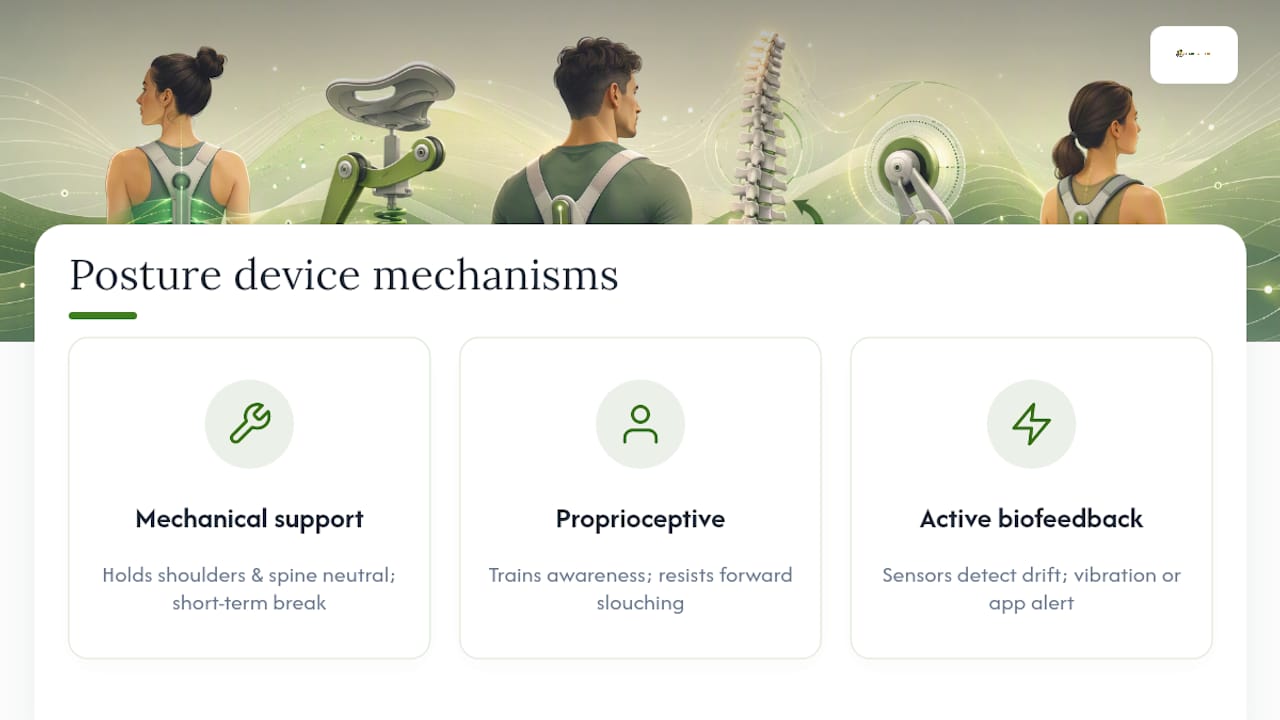
Mechanical support is what soft posture correctors and adjustable back braces deliver. They hold your shoulders back and your spine in a more neutral position while you wear them, giving strained muscles a short-term break. This is most useful during acute neck or shoulder flare-ups, or when you need a physical reminder early in a retraining program.
Proprioceptive retraining works by making you aware of your own position. A brace or corrector that gently resists forward slouching trains your nervous system to recognize what neutral feels like, so over time your body starts holding that position on its own. Think of it as a coach that gradually steps back as you improve.
Active biofeedback takes retraining further. Wearable sensors placed on the upper back or neck detect when your posture drifts past a set threshold and send a vibration alert or app notification. Research on individualized workstation setup confirms that chair and monitor adjustments must match your specific height and limb lengths to reduce cervical strain — and wearables fill the gap by catching the moments your setup alone cannot.
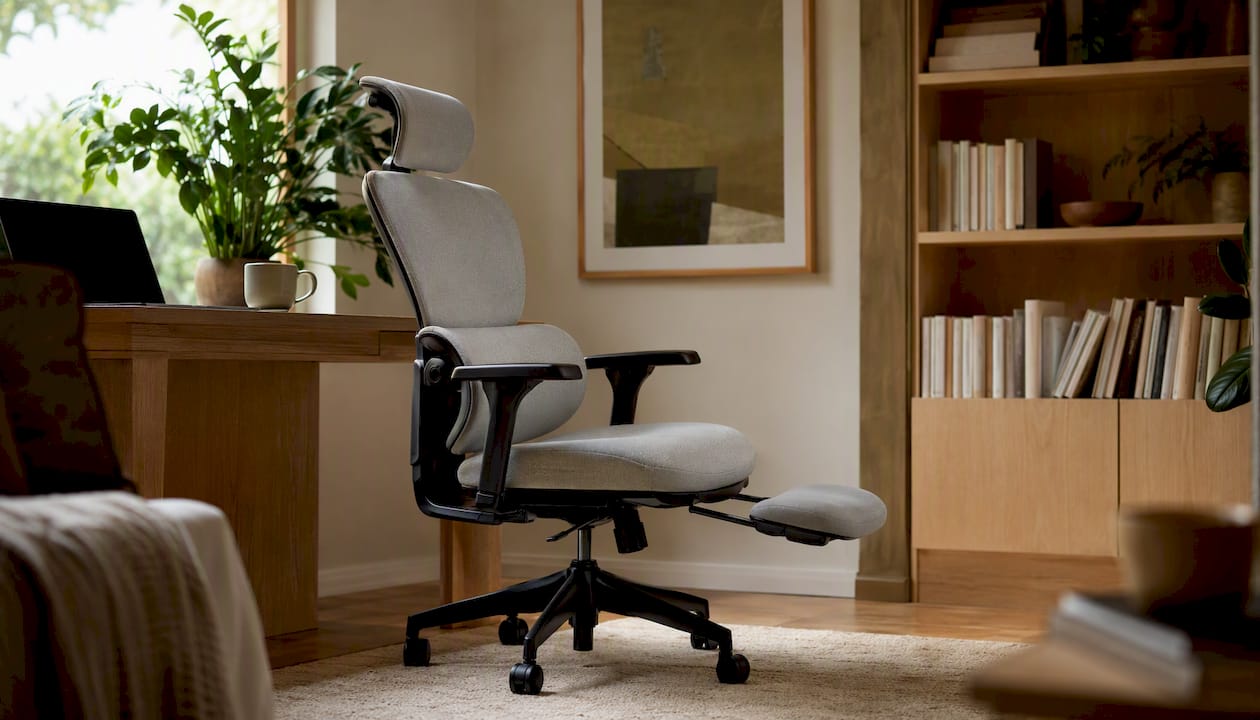
High-back ergonomic chairs and accessories (lumbar cushions, seat pan adjusters, footrests) round out the category. They create the structural foundation that makes every other device more effective. Mayo Clinic’s office ergonomics guidance is clear: no single sitting position is perfect, so an adjustable chair that lets you shift position frequently beats a rigid “correct” setup every time.
Who actually benefits from professional posture support?
The clearest candidates are remote knowledge workers, developers, video editors, pro gamers, and hybrid office workers who log six or more sedentary hours daily. If your workstation lacks adjustability — a fixed-height desk, a non-adjustable chair, or a monitor you cannot raise — posture gear compensates for what your setup cannot do.
A quick self-check: you are a strong fit if you experience recurring neck tightness or shoulder tension by mid-session, if you catch yourself rounding forward without noticing, or if your current chair offers no lumbar support. You are also a fit if you work from a couch, a bedroom desk, or any makeshift setup that makes neutral posture harder to maintain.
Red flag: if you have experienced recent spinal trauma, notice neurological symptoms (numbness, tingling, weakness in the arms), or have severe uncontrolled pain, see a clinician before buying any posture device. Gear is a support tool, not a substitute for medical evaluation.
Which product features actually improve outcomes?
Shopping for posture gear is easy to get wrong. Marketing claims are loud; the features that matter are quieter.
For ergonomic chairs
- ANSI/BIFMA compliance is the baseline standard for task chairs in the US — it signals the chair has been tested for durability and adjustability ranges that fit real bodies.
- Seat pan depth adjustment of at least a few centimeters lets you support your thighs without cutting off circulation behind the knees.
- Lumbar height and depth adjustment that you can dial in to your own back, not a fixed pad.
- Multi-way armrests that move in, out, forward, and back — armrests that block you from sitting close to your desk push your shoulders forward and undo lumbar support.
- Lockable recline and tilt so you can shift between positions throughout the day.
For braces and posture correctors
- Clear sizing guidance with a range that covers your chest or torso measurement.
- Breathable, non-restrictive materials — you need to be able to move, breathe, and wear it for 20–60 minutes at a time without overheating.
- Adjustable straps that let you fine-tune tension as your posture improves.
For wearable biofeedback sensors
- Sensor placement on the upper thoracic spine or clavicle area for the most accurate posture angle readings.
- Battery life long enough for a full workday without mid-session charging.
- Feedback modes you can customize: vibration for quiet environments, app notifications for open offices.
Pro Tip: Always check the return or trial policy before buying. Fit is everything with posture gear — a brace that is slightly too large or a chair that does not reach your seat-height needs will not retrain anything. A 30-day trial window is the minimum worth considering.
How to use posture gear so it actually changes your habits
Getting the fit right comes first. For a chair, set the seat height so your feet rest flat on the floor and your thighs are roughly parallel to the ground. Position the lumbar support so it sits in the natural inward curve of your lower back, not at the base of your spine. For a brace or corrector, snug it so you feel gentle resistance when you round forward — tight enough to notice, loose enough to breathe comfortably.
Start with short sessions. Twenty minutes of wearing a corrector while you work is more effective than wearing it all day and building muscle dependency. Increase gradually toward 45–60 minute sessions over two to three weeks as your body adapts. Practitioners consistently recommend treating posture braces as short-term retraining tools rather than full-day supports.
Pair your device with workstation basics. OSHA’s computer workstation checklist recommends monitor distance at roughly arm’s length, the top of the screen at or below eye level, and keyboard and mouse close enough that your elbows stay near your sides. Getting these right reduces the postural load your gear has to compensate for. For a full setup walkthrough, the ergonomic workstation setup guide from Habitposture covers monitor and desk arrangement in practical detail.
Movement is the multiplier. MSD prevention guidelines are direct: avoiding static positions for long periods matters more than any single piece of gear. A simple rule: stand, stretch, or walk for two minutes every 30–40 minutes. Shoulder rolls, chin tucks, and a brief chest opener take under 90 seconds and reset the tension that builds up during focused work. More posture habits for professionals are worth building into your daily routine alongside any device you use.
What does the research actually support?
The evidence for combined approaches is stronger than for any single device.
- A small controlled trial of 21 participants found that a wearable biofeedback device produced statistically significant reductions in neck flexion (p<0.001), thoracic kyphosis (p=0.033), and pelvic plane angle (p=0.021) during a one-hour typing task. The sample is small, but the signal is consistent with the mechanism.
- A randomized clinical trial published in Frontiers in Public Health found that combining workstation ergonomics with physiotherapy produced greater improvements in cervicogenic headache frequency and work ability at six months than either intervention alone.
- NIOSH workplace ergonomics data shows that ergonomic programs and workstation changes reduce musculoskeletal disorder incidence and lost workdays across employee populations.
| Study | Design | Main finding | Cautious read |
|---|---|---|---|
| Wearable biofeedback, typing task | Controlled trial, 21 adults | Significant reductions in neck flexion and thoracic kyphosis | Small sample; short duration |
| Ergonomics + physiotherapy RCT | Randomized clinical trial | Greater headache and work-ability gains vs. isolated interventions | Combined approach required |
| NIOSH ergonomics summary | Workplace program review | Reduced MSD incidence and lost workdays | Population-level; varies by program |
The honest limitation: posture gear does not fix chronic structural spine conditions, and it is not a substitute for clinical care when pain is severe or neurological symptoms are present. Gear works best as part of a system — workstation adjustments, movement habits, and targeted support together.
Your compact buying checklist and measurement guide
Start by measuring before you shop.
Decision flow: First, adjust your existing workstation (monitor height, seat height, keyboard position). If neck or shoulder discomfort persists after a week of corrected setup, add a soft posture corrector or lumbar cushion as a low-cost first step. If discomfort continues or your chair lacks adjustability, a high-back ergonomic chair with ANSI/BIFMA compliance is the higher-impact upgrade. Wearable biofeedback suits people who want data-driven retraining and already have a reasonable workstation.
Budget ranges (US market): Entry-level soft braces and posture correctors typically run $20–$60. Mid-range wearable biofeedback sensors generally fall in the $80–$150 range. ANSI/BIFMA-compliant ergonomic task chairs start around $300 and scale upward with adjustability features.
The part most buyers skip over
There is a gap between what posture gear promises and what actually changes behavior, and it comes down to one thing: trialability. The buyers who see real results are not the ones who spent the most. They are the ones who tried the gear, adjusted the fit, and built a short daily routine around it rather than wearing it once and forgetting it in a drawer.
The research backs this up. The combined ergonomics and physiotherapy trial showed meaningful gains only when the intervention was sustained and paired with education. A brace you wear for three days teaches your body nothing. A brace you wear for 20 focused minutes every workday for four weeks starts to change the default.
My honest advice: prioritize fit and return policy over brand prestige. A mid-range corrector that fits your body and that you actually wear beats a premium device that sits on a shelf because the sizing was off. Start small, build the habit, and add a chair or wearable once you know what your body responds to.
Habitposture is built for exactly this kind of screen life
Habitposture’s catalog covers the full system: posture correctors and adjustable back braces for daily retraining, wearable support for longer sessions, and high-back ergonomic chairs designed for the way desk workers and gamers actually sit. Every product is built for real-life use — breathable materials, practical sizing, and no medical-grade bulk that makes you feel like you are wearing a back brace from 1995.
The starting point is simple. Browse the posture correctors and ergonomic chairs at Habitposture, use the sizing guide to find your fit, and check the return policy before you commit. If it does not feel right in the first few weeks, you are not locked in. That low-friction trial is exactly how posture gear should work — wear it, feel the difference, and build the habit from there.
Sources
The following sources were used directly in this article. Each is linked to the specific claim it supports.
- Ergonomics research on individualized workstation setup
- Quick Start Guideline: Office | MSD Prevention Guideline for Ontario
- EHS Guidance on Ergonomic Task Chairs (University of Virginia)
- Effects of a wearable biofeedback sensor on sitting posture during typing (PubMed abstract)
- Combined and isolated effects of workstation ergonomics and physiotherapy in improving cervicogenic headache and work ability (Frontiers in Public Health)
- OSHA eTool computer workstation checklists
- NIOSH / workplace ergonomics summary for public employers
- Office ergonomics: Your how-to guide - Mayo Clinic