Reclined Sitting Posture Science: Evidence-Based Guide
A supported recline reduces spinal compression and paraspinal muscle load for many screen-based tasks, but it does not cancel the vascular and metabolic harms that come with prolonged, uninterrupted static sitting in any position.
- When recline likely helps: Watching video, light reading, or supported video calls where your device is raised to eye level and your head stays neutral.
- When recline increases risk: Phone or tablet use with your neck bent forward, or any session longer than 30 minutes without a movement break.
- Quick rule of thumb: Use a supported recline with a headrest, raise your screen to eye level, and walk for two minutes every 30 minutes.
If you have an active neck or back condition, consult a clinician before changing your working posture.
Key Takeaways
Reclined sitting reduces spinal compression and paraspinal muscle load for many tasks, but movement breaks every 30 minutes are the non-negotiable countermeasure for the vascular and metabolic harms that no sitting angle can prevent.
| Point | Details |
|---|---|
| Recline reduces lumbar load | Mean lumbar curvature increases modestly and paraspinal muscle activity drops during recline, but individual responses vary widely. |
| Cervical trade-off is real | Reclining without raising your screen increases lower cervical flexion and shifts load to passive cervical structures. |
| Movement breaks are essential | Two minutes of walking every 30 minutes increases lower-limb blood flow substantially and reduces postprandial insulin incremental area under the curve compared to prolonged uninterrupted sitting. |
| Angle depends on task | Use ~15° for active typing, ~25–30° for reading or video; tablet and phone use require a raised device stand at any angle. |
| Evidence has real limits | Imaging studies use small samples and acute protocols; long-term outcomes of habitual reclined working remain unstudied. |
Table of Contents
- What does the science say about spinal geometry during reclined sitting?
- How does reclining change your neck muscles and cervical mechanics?
- Why reclined sitting still carries physiological risks
- Which tasks suit reclined sitting, and what angle should you use?
- How to set up a safe reclined workstation
- What the evidence can’t yet tell us
- A practical perspective on building reclined-sitting habits
- Primary sources and recommended reading
- Sources
What does the science say about spinal geometry during reclined sitting?
Reclined sitting posture science draws on three main study types: in-vivo MRI and radiograph imaging, kinematic modeling, and lab-based muscle-activity measurement. Together, they show that reclining reshapes your spine in ways that can reduce load in some regions while increasing stress in others.
The most direct imaging evidence comes from an in-vivo MRI study that measured spinal curvature in participants sitting upright versus reclined in an office chair. Mean lumbar curvature increased modestly during recline compared to upright sitting, while mean cervical curvature decreased; both shifts showed high inter-subject variability, meaning your spine may respond quite differently from the person next to you.
That variability is not random. Researchers identified two distinct movement strategies: some people rotate primarily at the hip when reclining, while others increase lumbar curvature. Which pattern you use changes how much load redistribution you actually get.
Early biomechanical research, summarized in Herman Miller’s design white papers, established that reclining reduces lumbar-paraspinal muscle load and disc compression relative to upright sitting. That foundational finding drove the tilt mechanisms built into modern ergonomic chairs. The practical implication: a well-designed recline with lumbar support can genuinely reduce spinal compression, but only if your chair geometry tracks your pelvis and thorax together rather than just tipping the seat pan.
| Study | Method | Recline angles tested | Key spinal finding |
|---|---|---|---|
| Zemp et al. (2013) | In-vivo MRI, office chair | Upright vs. reclined | Lumbar curvature: 29° → 33°; cervical: 13° → 7°; high inter-subject variability |
| Weston-style tablet study | Radiograph + musculoskeletal modeling | Upright, ~15°, ~30° | Lower cervical flexion increases; musculotendon lengths change in extensor segments |
| Historical tilt-design research | Biomechanical modeling | Multiple recline angles | Reduced paraspinal muscle load and disc compression vs. upright |
Key signal: Recline redistributes spinal geometry, but the direction and magnitude of that change vary considerably from person to person. A posture that unloads your lumbar spine may simultaneously increase cervical stress if your screen position doesn’t move with you.
For a broader look at how spinal geometry connects to workplace wellness posture, the research picture is consistent: no single static position is ideal for all tasks or all bodies.
How does reclining change your neck muscles and cervical mechanics?
The lumbar benefits of reclining are real, but the cervical trade-offs are where most people run into trouble. Here is what the mechanics actually show:
- Reduced gravitational moment on the skull. When your trunk reclines, the angle between gravity and your head’s center of mass changes, lowering the raw gravitational pull your neck extensors must resist.
- Increased lower cervical flexion. Unless your screen moves with your trunk, your lower cervical spine bends forward to keep your eyes on target. This is the “gaze drop” effect: the torso reclines, the screen stays put, and the neck compensates by flexing.
- Musculotendon length changes in cervical extensors. A radiograph and musculoskeletal modeling study comparing upright, semireclined (~15°), and reclined (~30°) postures found that several cervical extensor musculotendon segments lengthen in reclined positions, which can reduce their active force capacity and shift load to passive structures in the lower cervical spine.
- Reduced lumbar paraspinal activity. Lab studies consistently show lower electromyographic activity in lumbar paraspinal muscles during reclined sitting, which is the primary mechanical benefit.
- Inter-subject variability in cervical response. Sex, height, and vertebral geometry all alter how much cervical flexion a given trunk recline produces. Taller individuals with longer necks tend to show larger moment-arm shifts.
Pro Tip: Raise your monitor or tablet so the top of the screen sits at or just below eye level before you recline. This single adjustment prevents the gaze-drop compensation that turns a lumbar-friendly recline into a cervical stress position.
The practical takeaway is that the neck and lumbar spine respond in opposite directions when you recline without adjusting your screen. Recline and raise. Both steps together, not just one.
Why reclined sitting still carries physiological risks
Optimizing your spinal geometry is only part of the picture. Prolonged static sitting, regardless of angle, triggers a separate set of vascular and metabolic harms that posture adjustments alone cannot fix.
A randomized crossover trial published in PLOS One found that regular activity breaks of just two minutes of walking every 30 minutes increased lower-limb blood flow by approximately 80% (95% CI 34–125%) and reduced postprandial insulin incremental AUC by approximately 28% compared to prolonged uninterrupted sitting. Standing breaks, by contrast, did not produce the same metabolic benefit, which matters if you are considering a standing desk as your primary countermeasure.
Sedentary time and cardiovascular risk: A large prospective analysis published in JAMA Cardiology found that sitting time exceeding approximately 10.6 hours per day is associated with a substantially higher cardiovascular mortality risk, with hazard increases in the range of 40–60% in some cohort analyses, independent of meeting physical-activity guidelines. Dose-response relationships and confounding factors require cautious interpretation, but the signal is consistent across multiple large cohorts.
A systematic review synthesis in Frontiers in Public Health framed lower-limb muscular inactivity as the common upstream factor linking prolonged sitting to musculoskeletal, vascular, inflammatory, and cardiovascular harm. The key conclusion: ergonomic interventions that reduce mechanical spinal load do not address these vascular and metabolic pathways. You need movement, not just a better angle.
For practical strategies that fit a desk-based schedule, posture improvement without a gym covers micro-break approaches that work even in tight office environments.
Which tasks suit reclined sitting, and what angle should you use?
Not every task benefits equally from a reclined position. The right angle depends on what your hands and eyes are doing.
Focused typing (heavy keyboard work): Upright or very slight recline (~5–10°) keeps your arms at a comfortable reach and reduces the risk of shoulder fatigue from extended forward reach. A pronounced recline moves your torso away from the keyboard and forces your arms to work harder.
Light typing and note-taking: A semireclined position (~15° from vertical) works well here. Spinal load is reduced, and keyboard reach remains manageable with a tray or angled surface.
Reading and video viewing: A reclined position of ~25–30° is where the lumbar benefits are most pronounced and the task demands on your hands are lowest. This is the sweet spot for passive or lightly interactive screen use, provided your screen is raised to eye level.
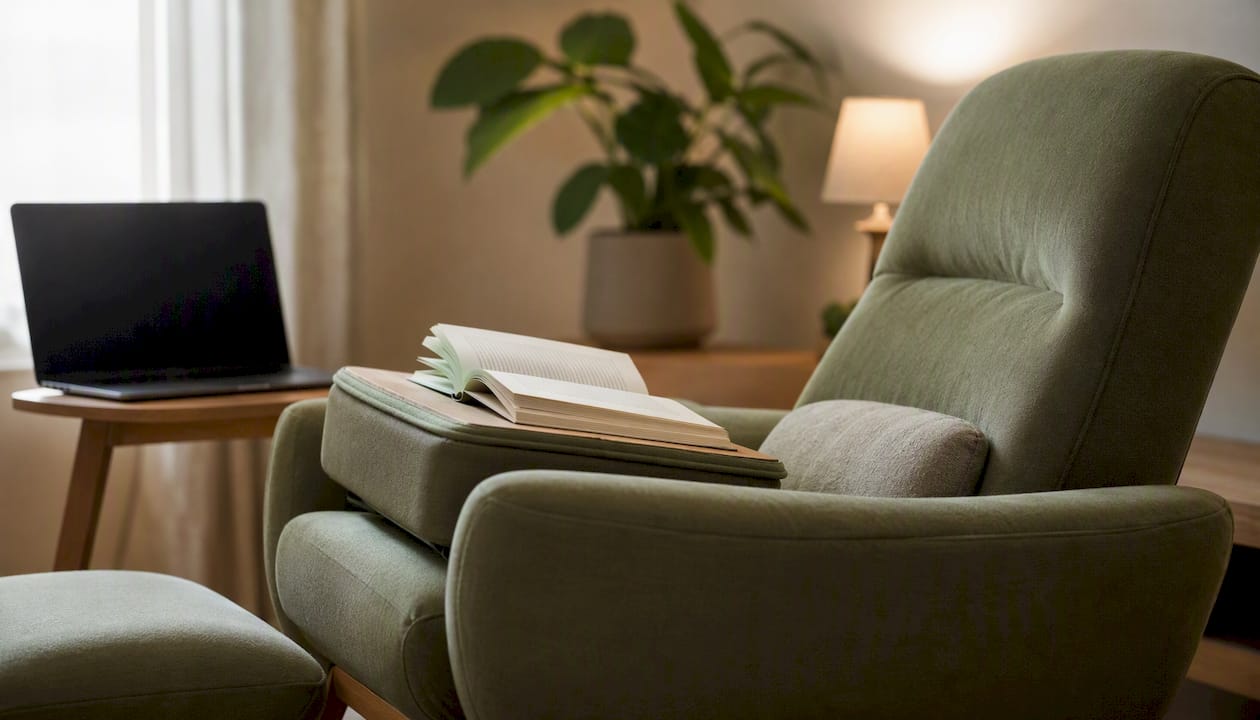
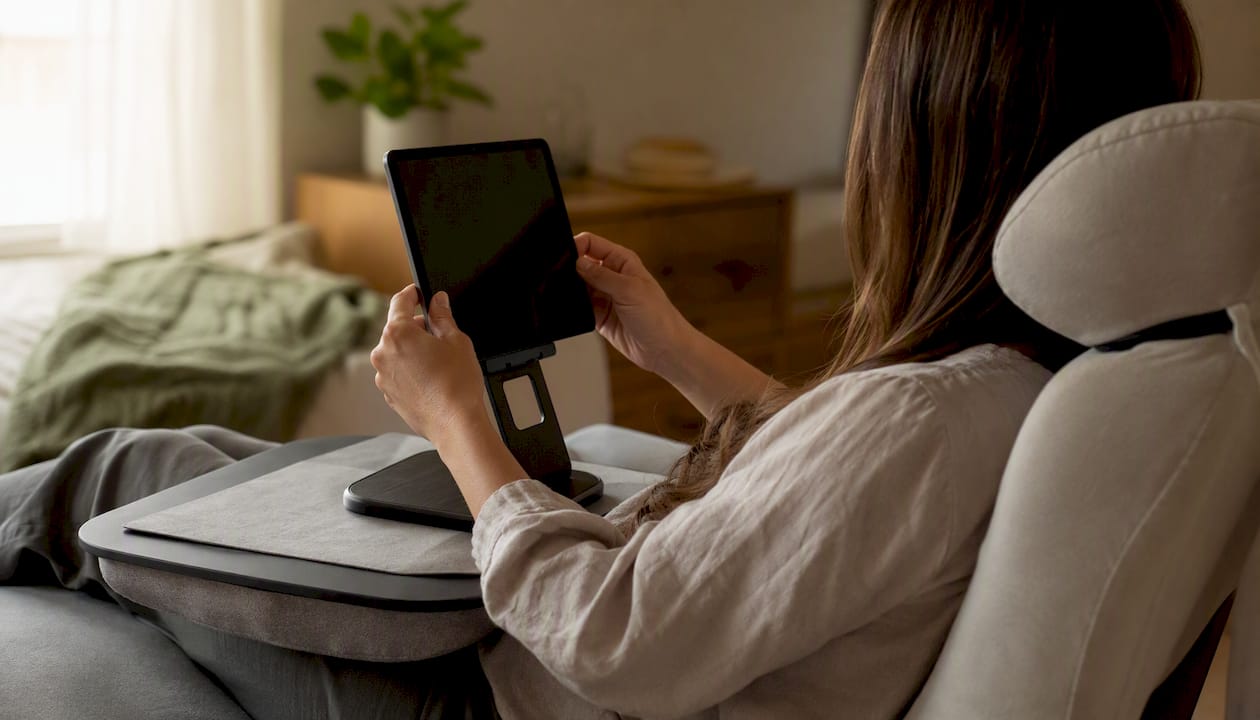
Phone and tablet use: This is the highest-risk category in reclined positions. The tablet posture modeling study showed that holding a device in your lap while reclined increases lower cervical flexion and shifts load to passive cervical structures. Mitigate this by using a tablet stand or lap desk that raises the device to chest or eye level, and by using a headrest that supports your head in a neutral position.
Video calls: Semireclined (~15°) with a raised external webcam or laptop stand works well. Your face stays visible, your lumbar spine gets some relief, and neck posture remains manageable.
Chair design matters here too. Tilt geometries that track both the thoracic and pelvic zones, as described in Herman Miller’s ergonomic research, preserve head alignment during recline better than simple seat-pan tilts, reducing the compensatory neck flexion that undermines the lumbar benefit.
How to set up a safe reclined workstation
Follow these steps in order before starting a reclined work session. Getting the sequence right matters because each adjustment affects the next.
- Set seat recline angle first. Choose your target angle based on the task: ~15° for active work, ~25–30° for reading or video. Lock the recline or use a tension setting that supports your weight without requiring muscle effort to hold the position.
- Adjust lumbar support. Position the lumbar support to contact the natural inward curve of your lower back. If your chair lacks built-in lumbar support, a rolled towel or a dedicated lumbar cushion placed at belt height works well.
- Set the headrest. The headrest should contact the back of your skull, not your neck. A headrest that pushes your head forward creates more cervical flexion, not less.
- Raise your monitor or device. The top of your screen should sit at or just below eye level. For tablets, use a stand that holds the device at chest height or higher. Never rest a phone or tablet on your lap during a reclined session.
- Support your feet. When reclined, your feet may lift slightly off the floor. Use a footrest or angled footplate to keep your hips and knees at roughly 90–110° and prevent pressure behind the thighs.
- Position armrests and input devices. Armrests should support your forearms without raising your shoulders. If you use a keyboard, place it on a tray or angled surface that keeps your wrists neutral.
- Check viewing distance and lighting. Maintain roughly 20–28 inches between your eyes and the screen. Reduce glare by angling the screen slightly and positioning light sources to the side rather than behind the monitor.
- Set a movement timer. Before you start, set a timer for 30 minutes. When it goes off, stand up and walk for two minutes. This is not optional for sessions longer than an hour.
Do:
- Use a headrest that contacts your skull in a neutral position.
- Raise your device to eye level every time you recline.
- Walk, not just stand, during breaks.
Don’t:
- Look down at a device resting on your lap or chest for extended periods.
- Recline without lumbar support, which can flatten or reverse your lumbar curve.
- Skip foot support when your feet leave the floor.
For a detailed walkthrough of office chair adjustments that apply to both upright and reclined configurations, Habitposture’s step-by-step guide covers the full range of seat geometry variables.
What the evidence can’t yet tell us
The science on reclined sitting is genuinely useful, but it has real limits you should know about.
If you have existing neck pain, back pain, disc herniation, or any diagnosed spinal condition, do not rely on this article to guide your posture choices. Consult a physical therapist or physician who can assess your specific anatomy and history.
Current study limitations include:
- Small sample sizes in imaging studies. Most in-vivo MRI and radiograph studies involve fewer than 20 participants, which limits how confidently findings generalize across body types, ages, and health conditions.
- Acute lab protocols, not chronic outcomes. Studies measure spinal geometry or muscle activity during a single session. Whether habitual reclined working over months or years improves or worsens musculoskeletal outcomes is largely unknown.
- Observational sedentary-time cohorts. The large cardiovascular mortality associations come from observational data where sitting time is self-reported or estimated from accelerometry. Causation is not established, and confounding by health status is a real concern.
- No RCTs on reclined working interventions. No randomized controlled trial has yet compared long-term musculoskeletal or cardiovascular outcomes between workers who habitually use reclined versus upright workstations.
Priority questions the field still needs to answer:
- What are the long-term musculoskeletal outcomes of habitual reclined working across different job types?
- Can passive design interventions (footplate dynamics, engineered seat movement, or micro-pedaling) generate enough lower-limb muscular activation to address vascular harms without requiring workers to leave their seats?
- Do reclined-posture interventions produce measurable clinical improvements in neck or back pain when combined with structured movement breaks?
Understanding why posture worsens during long desk sessions is a useful complement to these evidence gaps, particularly for remote workers who lack structured movement cues.
A practical perspective on building reclined-sitting habits
The research is clear on one thing: there is no single perfect sitting posture, and chasing one is the wrong goal. What the evidence actually supports is posture variety combined with regular movement, not a fixed recline angle held for hours.
At Habitposture, the approach we recommend is built around three habits:
- Start with supported 15–30 minute recline blocks. Use a semireclined position for your first work block of the day, with a headrest and raised screen. Keep the session short enough that you are not tempted to skip the break.
- Walk for two minutes every 30 minutes. Not stand. Walk. The vascular and metabolic evidence is specific about this, and it is the single highest-return habit change you can make regardless of your sitting angle.
- Shift postures deliberately throughout the day. Alternate between reclined, upright, and standing positions based on your task. Heavy typing upright, reading reclined, calls standing. Treating posture as a task-specific tool rather than a fixed setting is what separates people who feel good at 5 PM from those who feel folded in half.
Small equipment changes make these habits easier to stick to. A chair with genuine lumbar support and a functional headrest, a monitor arm that adjusts in seconds, and a simple footrest can remove the friction that makes people abandon good posture habits by midday. Habitposture’s ergonomic chairs and posture support accessories are built for exactly this kind of real-life, screen-heavy schedule. Browse the full range at Habitposture and find the setup that fits your work style.
Primary sources and recommended reading
The studies below form the core evidence base for this article. Imaging studies give you the geometry data; modeling studies explain the muscle-length trade-offs; vascular and cohort studies establish why movement breaks matter beyond posture optimization.
- Zemp R, et al. (2013). In Vivo Spinal Posture during Upright and Reclined Sitting in an Office Chair. BioMed Research International.
- Weston et al. Cervical Spine Musculotendon Lengths When Reading a Tablet in Three Seated Positions. NSF-funded musculoskeletal modeling study.
- Thosar SS, et al. The effects of prolonged sitting, prolonged standing, and activity breaks on vascular function, and postprandial glucose and insulin responses: A randomised crossover trial. PLOS One.
- Alter DA, et al. Association of Sitting Time With Mortality and Cardiovascular Events in High-Income, Middle-Income, and Low-Income Countries. JAMA Cardiology.
- Prolonged occupational sitting — multi-pathway physiological evidence (systematic review synthesis). Frontiers in Public Health.
- Herman Miller. Promoting healthy movement and natural alignment. White paper series on chair design and spinal biomechanics.
This article is general information, not a substitute for advice from a qualified doctor. Consult a qualified healthcare professional about your own circumstances before acting on anything here.
Sources
- In Vivo Spinal Posture during Upright and Reclined Sitting in an Office Chair
- Cervical Spine Musculotendon Lengths When Reading a Tablet in Three Seated Positions
- The effects of prolonged sitting, prolonged standing, and activity breaks on vascular function, and postprandial glucose and insulin responses: A randomised crossover trial | PLOS One
- Association of Sitting Time With Mortality and Cardiovascular Events in High-Income, Middle-Income, and Low-Income Countries | JAMA Cardiology
- Prolonged occupational sitting — multi-pathway physiological evidence (systematic review synthesis) | Frontiers in Public Health