Posture Improvement for Office Workers Without a Gym
Posture improvement without gym access is fully achievable for office workers through targeted desk exercises, ergonomic setup adjustments, and consistent movement breaks spread across the workday. You do not need a membership, equipment, or a dedicated workout block. Simple, equipment-free exercises spread through the day total just 15–20 minutes and deliver real results. The key tools are your chair, your desk, your body weight, and a reliable system. Habitposture built its entire approach around exactly this reality.
What are the best posture exercises for office workers without gym equipment?
The most effective posture correction technique for desk workers targets three problem areas: the upper back, the neck, and the hip flexors. Chronic sitting tightens the chest and hip flexors while weakening the muscles that hold your spine upright. Opening the chest and moving the spine are the fastest ways to reset your posture mid-workday. No weights required.
Here are the core posture exercises for desk workers, each taking 1–2 minutes per set:
- Chin tucks. Sit tall, pull your chin straight back (not down), hold for 3 seconds, release. This counters forward head posture, which is the most common desk complaint. Repeat 10 times.
- Shoulder blade squeezes. Sit upright, squeeze your shoulder blades together as if pinching a pencil between them, hold for 5 seconds, release. This activates the mid-back muscles that rounded shoulders suppress.
- Chest opener stretch. Clasp your hands behind your back, straighten your arms, and lift your chest. Hold for 20–30 seconds. This directly counters the forward shoulder roll that builds up after hours of typing.
- Seated spinal twist. Sit upright, place your right hand on your left knee, and rotate your torso left. Hold for 20 seconds each side. This restores spinal mobility lost from static sitting.
- Neck side stretch. Drop your right ear toward your right shoulder, hold for 20 seconds, switch sides. This releases the upper trapezius, which is the muscle that tightens when you hunch toward a screen.
- Wall angels. Stand with your back flat against a wall, arms bent at 90 degrees, and slowly slide them up and down the wall. This trains the shoulder and upper back muscles to hold proper alignment.
- Seated leg raises. Sit upright, extend one leg parallel to the floor, hold for 5 seconds, lower slowly. This activates the core and hip flexors without leaving your chair.
Pro Tip: The most common mistake with shoulder blade squeezes is shrugging the shoulders upward. Keep them down and back. If your neck tightens during the move, you are using the wrong muscles.
Poor posture weakens the core, glutes, and upper back over time. That means exercises alone are not enough. You need to pair movement with a properly arranged workspace.
How can you set up an ergonomic desk to support good posture?
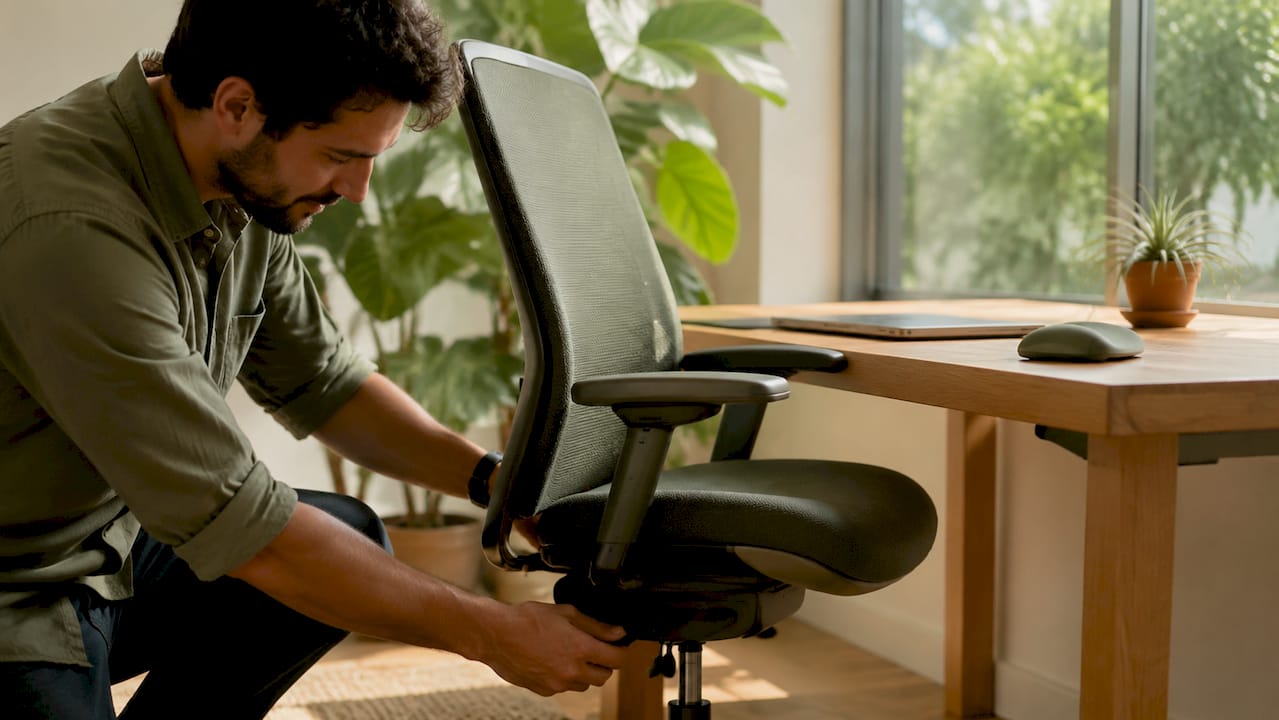
Your desk setup is the foundation. No amount of stretching fixes a workstation that forces your body into a bad position for eight hours. A quality ergonomic chair with lumbar support is important, but it is insufficient without the right environmental adjustments around it.
The core ergonomic desk setup checklist:
- Monitor height. Position your screen 10–20 degrees below eye level and roughly one arm’s length away. Looking up strains the neck; looking too far down rounds the upper back.
- Keyboard and mouse placement. Keep both at a height that allows your elbows to rest at 90 degrees. Your forearms should be parallel to the floor or angled slightly downward.
- Lumbar support. Your chair’s backrest should support the natural inward curve of your lower back. If your chair lacks this, a lumbar cushion placed at belt height works well.
- Foot positioning. Both feet should rest flat on the floor. If your chair is too high for that, use a footrest. Dangling feet shift your pelvis and increase lower back strain.
- Chair height. Your hips should sit at or slightly above knee level. This keeps your pelvis in a neutral position and reduces pressure on the lumbar discs.
| Setup element | Correct position | Common mistake |
|---|---|---|
| Monitor | 10–20 degrees below eye level, arm’s length away | Too high, causing neck extension |
| Keyboard | Elbows at 90 degrees, forearms level | Too low, causing shoulder rounding |
| Chair height | Hips at or above knee level | Too low, tilting pelvis backward |
| Lumbar support | Positioned at belt height | Missing or placed too high |
| Feet | Flat on floor or footrest | Crossed or dangling |
Pro Tip: Before buying any new equipment, spend 10 minutes adjusting what you already have. Most desk workers have never moved their monitor or chair height from the factory default. That one adjustment often eliminates neck pain within days.
A high back ergonomic chair with lumbar support gives your spine the structural backing it needs during long sessions. Pair it with the checklist above and your setup does half the posture work for you.
Why do movement breaks matter more than you think?
Static posture is the real enemy. No single rigid posture can be held for hours without causing fatigue and muscle strain. The body is designed to move, and holding any fixed position, even a “correct” one, distributes load unevenly across the spine over time.
The recommended movement cadence is clear: change position every 20–30 minutes for 20–60 seconds, and take an active break every hour. That means standing, walking to refill your water, or doing a quick set of shoulder rolls. These micro-movements interrupt postural fatigue before it sets in.
Effective micro-break moves include:
- Shoulder rolls. Three slow circles forward, three backward. This releases the upper trapezius and resets shoulder position.
- Chin tucks. A quick set of 10 resets forward head posture between tasks.
- Chest-opening stretch. Clasp hands behind your back and lift your chest for 20 seconds. This counters the forward hunch that builds up during focused screen time.
- Standing hip flexor stretch. Step one foot forward into a shallow lunge, hold for 20 seconds each side. Chronic sitting tightens hip flexors and pulls the pelvis forward, which flattens the lumbar curve.
“Dynamic posture, meaning frequent, intentional position changes throughout the day, distributes spinal load more evenly than any single ‘correct’ sitting position.”
Use a phone timer, a desktop app like Stretchly, or the built-in reminder features in tools like Apple Health or Google Fit to keep your movement cadence consistent. Consistency is the variable that separates people who fix their posture from those who just read about fixing it.
Pro Tip: Stack your movement breaks with existing habits. Stand up every time you finish a call. Do a chin tuck set every time you send an email. Habit stacking removes the need for willpower.
How to build a daily posture routine without a gym
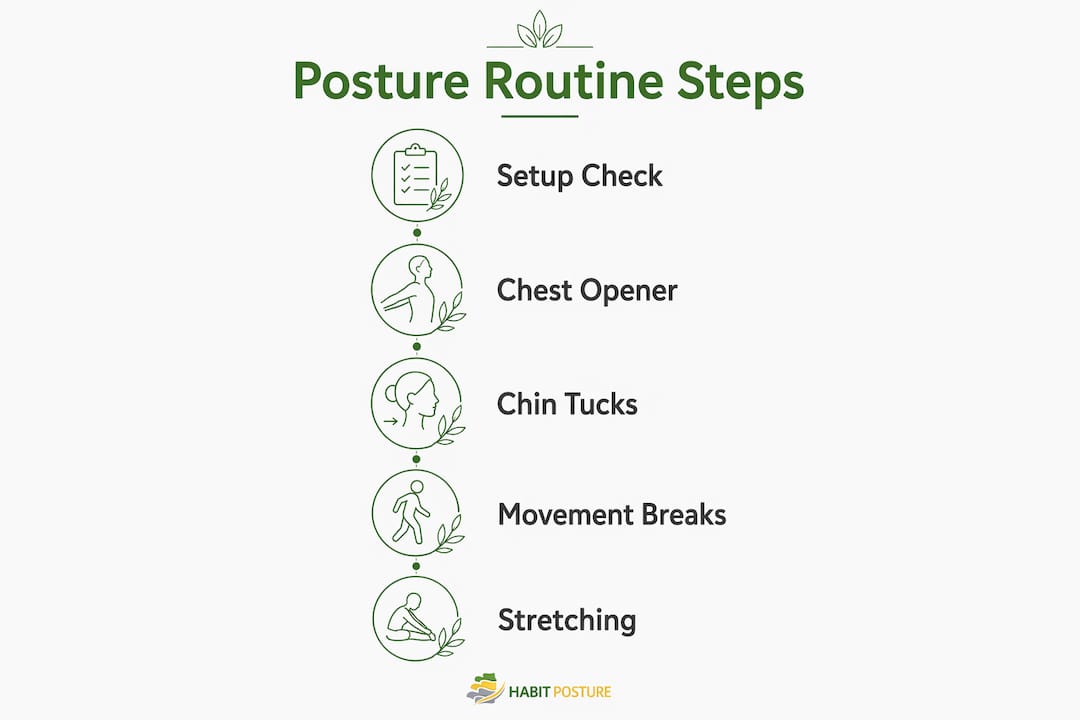
The most effective approach to workplace wellness for posture is a system, not a single exercise. Micro-movements spread across the day outperform a single long workout for compliance and results. The goal is 15–20 minutes of total movement split into 3–4 micro-sessions.
Here is a sample daily structure for office workers:
- Morning setup check (5 minutes before work starts). Adjust your monitor, chair height, and lumbar support. This takes 2 minutes once you know your settings. Add a quick chest opener and two sets of chin tucks to activate the muscles before the workday loads them.
- Mid-morning micro-session (10:00 AM, 2 minutes). Shoulder blade squeezes, neck side stretches, and seated spinal twists. Set a recurring calendar block so it becomes automatic.
- Lunch break reset (12:00 PM, 5 minutes). Walk for 3 minutes, then do wall angels and a standing hip flexor stretch. This is your longest active break and the one that resets the most accumulated tension.
- Afternoon micro-session (3:00 PM, 2 minutes). Chin tucks, shoulder rolls, and seated leg raises. The 2–3 PM window is when forward head posture and shoulder rounding peak for most desk workers.
| Time | Activity | Duration |
|---|---|---|
| Start of day | Setup check, chest opener, chin tucks | 5 minutes |
| Mid-morning | Shoulder blade squeezes, neck stretches | 2 minutes |
| Lunch | Walk, wall angels, hip flexor stretch | 5 minutes |
| Afternoon | Chin tucks, shoulder rolls, leg raises | 2 minutes |
The biggest obstacle is not time. It is the feeling that two minutes is not worth it. That feeling is wrong. Consistency through micro-sessions beats intensity every time for posture improvement in office settings. Two minutes done eight times a day is more effective than a 20-minute session done once a week.
Pro Tip: Track your routine for two weeks using a simple habit tracker app like Habitica or a paper checklist. Seeing your streak builds motivation faster than any motivational content will.
If you feel sharp pain during any exercise, stop immediately. Mild muscle fatigue is normal. Pain is not. Adjust the range of motion or skip the move and consult a physical therapist if discomfort persists.
Key Takeaways
Posture improvement without a gym requires three things working together: a properly arranged workstation, targeted muscle activation exercises, and consistent movement breaks throughout the workday.
| Point | Details |
|---|---|
| Exercises beat gym sessions | Equipment-free desk exercises totaling 15–20 minutes daily deliver real posture gains. |
| Setup comes first | Adjust monitor height, chair, and lumbar support before adding any exercise routine. |
| Movement breaks are non-negotiable | Change position every 20–30 minutes and take an active break every hour to prevent fatigue. |
| Micro-sessions beat long workouts | Short, frequent movement spread across the day outperforms a single weekly session. |
| Consistency is the only variable that matters | Two minutes done daily beats 20 minutes done occasionally, every time. |
The posture advice nobody wants to hear
Perfect posture does not exist. I have seen office workers spend hundreds of dollars on ergonomic chairs and posture correctors, then sit in them just as badly as they sat in their old chairs. The chair does not fix the habit. The habit fixes the habit.
What actually works is accepting that your posture will drift, and building a system that catches it before it becomes pain. The workers I have seen make the most progress are not the ones doing the longest stretching routines. They are the ones who move every 30 minutes without exception, who adjusted their monitor once and never touched it again, and who treat a two-minute shoulder roll set as seriously as a meeting.
The other thing worth saying: your environment shapes your behavior more than your willpower does. If your monitor is at the wrong height, you will hunch toward it no matter how many times you remind yourself not to. Fix the environment first. Add the exercises second. The exercises reinforce what the setup starts.
One more thing. Listen to your body. Neck tightness at 2 PM is not just tiredness. It is feedback. Your body is telling you it has been in one position too long. That signal is useful. Use it.
— Thomas
Habitposture has the gear to back your routine
You have the routine. Now make sure your workspace supports it. Habitposture builds products for people who spend their days at a desk, not in a gym, and need support that works in real life.
From ergonomic chairs with lumbar support to adjustable posture correctors you can wear during calls and deep work sessions, every product is designed to complement the exercises and setup adjustments covered here. No bulky braces. No guilt trips. Just practical support that fits your workday. Visit Habitposture to find the right tools for your desk setup and posture goals.
FAQ
What are the best posture exercises for desk workers?
Chin tucks, shoulder blade squeezes, chest opener stretches, and wall angels are the most effective equipment-free exercises for desk workers. Each takes 1–2 minutes and directly targets the muscles weakened by prolonged sitting.
How often should office workers take movement breaks?
Change your position every 20–30 minutes for at least 20–60 seconds, and take a full active break every hour. Short walks and standing stretches prevent the postural fatigue that builds up during long sitting periods.
Does an ergonomic chair fix posture on its own?
An ergonomic chair with lumbar support helps, but it does not fix posture alone. Proper monitor height, keyboard placement, and regular movement breaks are all required for the chair to do its job.
How long does it take to see posture improvement without a gym?
Most desk workers notice reduced neck and shoulder tension within one to two weeks of consistent micro-sessions and ergonomic adjustments. Structural muscle changes take longer, typically six to eight weeks of daily practice.
Can a posture corrector help office workers?
A posture corrector provides physical feedback that trains your body to recognize proper shoulder and back alignment. It works best as a short-term training tool used alongside exercises, not as a permanent replacement for muscle strength.