Fix Hip Pain Sitting in Your Home Office Chair
Three things you can do right now: raise your seat so your knees sit at or slightly below hip level, set a timer to stand or walk every 30–60 minutes, and do one seated figure-four stretch before your next meeting. That’s the short version. Everything below shows you how to make those habits stick, especially if you’re already wearing a posture device and wondering why your hips still ache by 3 PM.
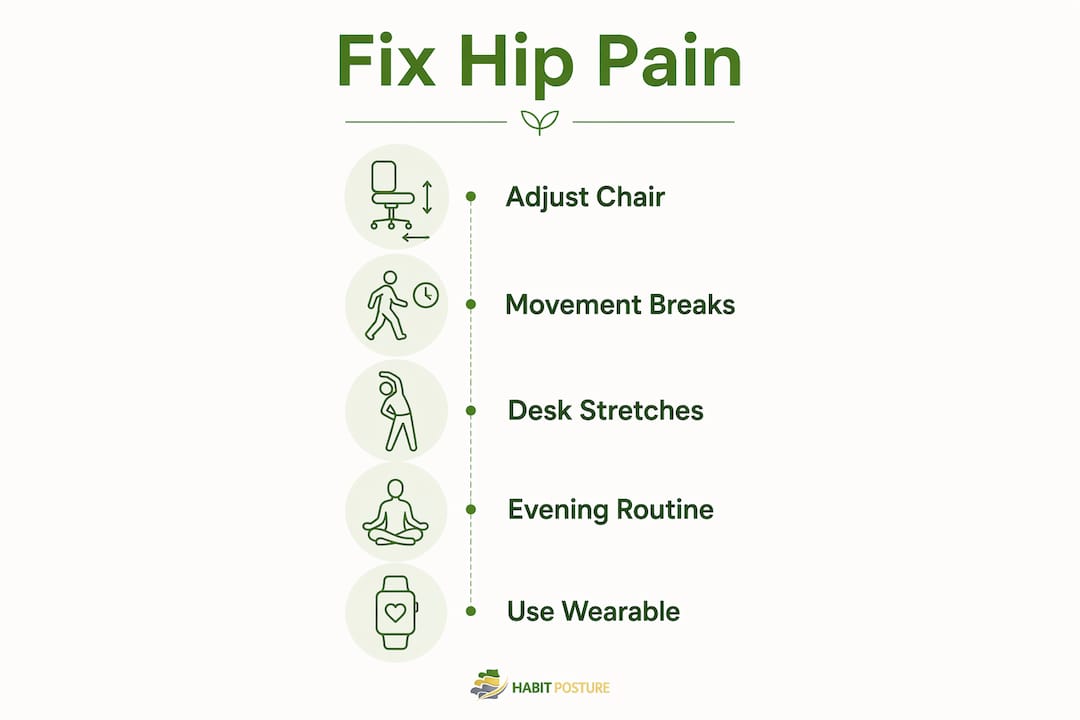
Quick action list: Adjust seat height now (knees level with or below hips). Set a timer to stand or walk every 30–60 minutes. Do one seated hip release. Drink a glass of water.
According to the CDC, about 1 in 4 U.S. adults sits for more than eight hours a day. If that’s you, hip stiffness isn’t a mystery. It’s physics. The good news: small, consistent changes produce real relief, and your wearable can be a key part of making them automatic.
Table of Contents
- Why does your home office chair cause hip stiffness and pain?
- Quick desk-side fixes for hip pain in your home office chair
- Six desk-friendly stretches you can do between meetings
- Short evening routine to fix the root cause
- How to use your posture wearable to reduce hip pain
- Red flags that mean this is more than desk stiffness
- What to look for when buying a chair or cushion for hip pain
- Key Takeaways
- Why habit-first solutions actually work
- Habitposture can help you build the movement habit
- Useful sources
Why does your home office chair cause hip stiffness and pain?
The core mechanism is simple: prolonged sitting in a flexed position shortens hip flexors and shuts down your glutes. When those muscles stop working, your pelvis tilts forward, joint lubrication drops, and pressure builds on the hip joint itself.
Common contributors include:
- Hip flexor shortening from sustained 90° flexion
- Glute inhibition (your glutes literally “forget” to fire when you sit all day)
- Reduced synovial fluid circulation, which leaves cartilage less cushioned
- Poor chair support that forces uneven weight distribution
- Clinical causes including hip bursitis, tendinitis, and early arthritis
Physical therapist Kirsten Zambon at Franciscan Health draws a useful distinction: sitting-induced stiffness typically worsens through the day, while arthritis-related pain tends to feel worst on waking and eases with gentle movement. If your hips hurt most in the morning and improve once you’re up, that pattern warrants a conversation with your doctor rather than a chair adjustment.
WFH setups often make this worse. Dining chairs, low couches, and makeshift desks compound posture problems that a proper office environment at least partially guards against.
Quick desk-side fixes for hip pain in your home office chair
The single highest-impact change is getting your hip-to-knee angle close to 90° and breaking up sitting every 30–60 minutes, as OSHA guidance recommends. Everything else supports those two priorities.
Chair adjustments to make today
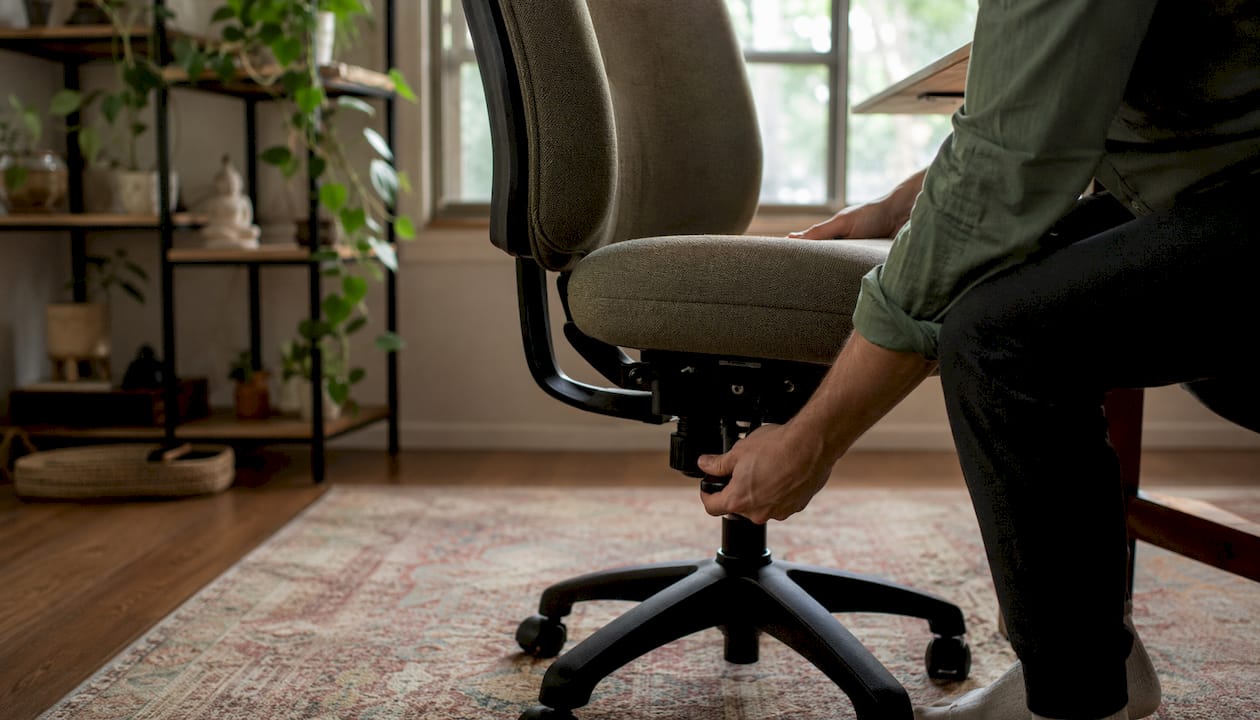
- Seat height: Feet flat on the floor, knees level with or slightly below hips. Seat height directly controls your hip flexion angle more than any other adjustment.
- Seat depth: Leave 2–4 inches between the back of your knees and the seat edge to avoid cutting off circulation.
- Lumbar support: Position it so your lower back maintains a gentle inward curve, not a flat or rounded shape.
- Foot placement: Both feet flat, ankles slightly forward of your knees. No crossed legs, no tucked feet.
- Backrest recline: A slight recline (past a flat 90°) reduces anterior hip compression during long sessions.
Pro Tip: If your chair’s minimum height still leaves your knees too high, add a firm 2–3 inch seat cushion under you. It raises your pelvis, changes the hip angle, and costs a fraction of a new chair.
Movement schedule that actually works
| Interval | Action | Duration |
|---|---|---|
| Every 30–60 min | Stand, walk to another room | 1–2 min |
| Every 60 min | Standing hip flexor stretch | 1–2 min |
| Every 2 hours | Short walk + water refill | 3–5 min |
| End of workday | Evening mobility routine | 10 min |
Pair your wearable’s haptic reminder with these intervals. The reminder becomes the cue; the movement becomes the habit.
Six desk-friendly stretches you can do between meetings
The seated figure-four stretch is the most broadly useful move for desk workers. It targets the piriformis and outer hip without requiring floor space or a change of clothes.
-
Seated figure-four: Sit upright, cross your right ankle over your left knee. Gently press down on your right knee and lean forward slightly until you feel a stretch in your right glute and outer hip. Hold 30 seconds each side. Repeat twice.
-
Seated hip flexor tilt: Sit at the front edge of your chair. Slide your right foot back so your right hip extends slightly behind you. Tuck your pelvis under and hold 20–30 seconds. Switch sides. You should feel a pull at the front of the trailing hip.
-
Standing hip flexor lunge stretch: Stand behind your chair, hold the back for balance. Step your right foot back into a gentle lunge, keep your torso upright, and press your right hip forward. Hold 30 seconds. Switch sides.
-
Hip extension: Stand upright, hold a wall or chair back. Keeping your leg straight, slowly lift one leg backward without rotating your hips. Clench the glute at the top, hold 5 seconds. Repeat 5–10 times each side.
-
Seated spinal rotation: Sit tall, cross your arms over your chest, and rotate your torso slowly left, then right. Hold each end position for 3–5 seconds. Do 5 rotations each direction. This decompresses the lumbar spine and mobilizes the hip joint indirectly.
-
Ankle circles and knee lifts: Still seated, lift one foot off the floor and draw slow circles with your ankle for 10 seconds. Then lift your knee toward your chest and hold 5 seconds. Alternate legs for 60 seconds total.
Do these every 30–60 minutes. Stop immediately if you feel sharp pain or numbness radiating down your leg.
Short evening routine to fix the root cause
Readable improvement typically comes within a few weeks of consistent work. Strength gains take longer, but hip mobility often responds faster than people expect.
| Exercise | Sets/Reps | Modification |
|---|---|---|
| Glute bridge | 3 repetitions | Single-leg version for progression; place a pillow under lower back if needed |
| Clamshell | 5–10 repetitions each side | Use a resistance band for progression |
| Standing hip flexor stretch | 3 × 30 sec each | Kneel on a folded towel if knee discomfort |
| Dead bug (core) | 3 × 8 each side | Reduce range of motion if lower back tightens |
| Side-lying leg raise | 10 repetitions each side | Slow the lowering phase for more challenge |
These exercises restore the strength and mobility that prolonged sitting erodes. Start with bodyweight only. If pain worsens during or after any exercise, reduce range of motion first. If it persists, consult a physical therapist before continuing.
How to use your posture wearable to reduce hip pain
Wearables help by prompting movement and reinforcing posture habits. They don’t lengthen hip flexors or build glute strength on their own. That distinction matters for how you set yours up.
Do:
- Set haptic reminders every 30–60 minutes as a movement cue
- Use session logs to track how often you actually stand and move
- Pair each reminder with a specific micro-action (stand, walk, one stretch)
- Review your movement frequency weekly and adjust reminder intervals if you’re skipping
Don’t:
- Rely on the wearable as your only strategy
- Wear it continuously through a pain flare without also addressing chair setup
- Ignore the reminder and assume wearing the device is enough
Pro Tip: Build a 30-minute loop: wearable vibrates → stand and walk for 2 minutes → do one seated stretch → resume work. That single loop, repeated consistently, reduces sedentary time more than any single ergonomic purchase.
Hydration is worth adding to this loop. Refilling a water bottle creates a natural movement prompt and supports joint lubrication, two benefits for the price of one habit.
Red flags that mean this is more than desk stiffness
See a doctor or physical therapist if you notice pain on waking, progressive evening pain, swelling, numbness, or weakness that doesn’t resolve with movement.
- Pain present on waking that doesn’t ease within 30 minutes: possible inflammatory or arthritic cause; see your PCP within 1–2 weeks
- Numbness or tingling down the leg: possible nerve involvement (sciatica or radiculopathy); schedule evaluation promptly
- Swelling around the hip joint: possible bursitis or injury; don’t self-treat, see a clinician
- Pain that steadily worsens through the evening despite movement breaks: PT evaluation recommended within 1–2 weeks
- Progressive weakness in the leg or difficulty with stairs: see a physician soon, not eventually
- Pain after a fall or impact: rule out fracture before any self-care
Bring your wearable’s movement log, notes on when pain peaks, and a description of your chair setup to any appointment. That data helps a clinician triage faster.
This article is general information, not medical advice. Confirm any treatment decisions with a qualified healthcare professional for your specific situation.
What to look for when buying a chair or cushion for hip pain
The highest-impact purchase is a chair with adjustable seat height and adequate seat depth. Everything else is secondary.
Chair features that matter:
- Seat height range: Should accommodate your leg length with feet flat and knees at or below hip level
- Seat depth: 16–18 inches suits most adults; deeper seats need a lumbar cushion to fill the gap
- Cushion firmness: Medium-firm foam reduces pressure without letting your pelvis sink and tilt. Overly soft seats cause uneven hip loading
- Lumbar support: Adjustable in height, not just depth
- Armrests: Should not force your shoulders up or restrict hip width
A chiropractor’s perspective on chair selection reinforces that adjustability beats brand name every time. A $200 chair you can dial in beats a $800 chair that fits poorly.
Cushion vs. full chair upgrade:
| Situation | Better choice |
|---|---|
| Chair height is close but pelvis tilts back | Firm wedge cushion ($30–$60) |
| Chair is too low and non-adjustable | New chair (mid-range: $200–$800) |
| Chair fits but seat is too soft | Memory foam or gel cushion ($40–$80) |
| Multiple adjustments are missing | Full ergonomic chair upgrade |
Cushions typically last 1–2 years before compression reduces their effect. Quality ergonomic chairs last 5–10 years with normal use.
Key Takeaways
Consistent movement breaks every 30–60 minutes, combined with correct seat height and a short evening strengthening routine, produce the most reliable relief for hip pain from sitting.
| Point | Details |
|---|---|
| Adjust seat height first | Knees at or slightly below hip level is the single most effective chair fix. |
| Break every 30–60 minutes | OSHA guidance supports movement intervals; pair with your wearable’s haptic reminder. |
| Stretch and strengthen daily | Desk stretches ease stiffness; evening glute and hip flexor work fixes the root cause over weeks. |
| Know the red flags | Waking pain, numbness, or progressive weakness means see a clinician, not just adjust your chair. |
| Habitposture wearables cue movement | Use haptic reminders to trigger micro-breaks; pair with chair adjustments for lasting relief. |
Why habit-first solutions actually work
Most people treating hip discomfort from their office chair focus on the chair. That’s understandable, but it’s only half the fix. The chair controls compression. Movement and strength control the underlying muscle dysfunction. Neither works well without the other.
At Habitposture, the approach is built around that pairing. A wearable that reminds you to move every 30–60 minutes is genuinely useful. But it’s most useful when you’ve also set your seat height correctly, built a short evening routine, and know which symptoms mean it’s time to call a physical therapist. Small changes, done consistently, compound. That’s not motivational filler. It’s how posture and hip health actually improve.
If you’re already wearing a posture device, you’re ahead of most people. The next step is making sure the habits around it are solid.
Habitposture can help you build the movement habit
A posture wearable won’t replace a well-adjusted chair or a strengthening routine, but it can be the habit anchor that makes both of those things stick. The haptic reminder tells your body it’s time to move. The movement log shows you whether you actually did.
Habitposture’s wearable system is built for people who spend 8+ hours at a screen and need a practical, low-friction way to reduce sedentary time and reinforce better posture. It works while you work. If red flags appear, the honest answer is to see a clinician. But for the everyday stiffness that builds up through a long session, a consistent movement habit paired with the right chair setup is where real change starts.
See how Habitposture works and find the approach that fits your setup.
Useful sources
- CDC — Physical inactivity and sitting data: Used in the opening and causes section for the 1-in-4 adults statistic on daily sitting duration.
- OSHA — Ergonomics guidance: Supports the 30–60 minute movement interval recommendation used throughout the desk fixes and wearable sections.
- Franciscan Health — Hip pain from sitting: PT Kirsten Zambon’s distinction between postural stiffness and arthritis; used in causes and red flags sections.
- Hinge Health — Hip pain when sitting: Evidence base for micro-breaks, hydration, and wearable habit integration.
- Indiana Orthopedic Institute — Hip pain while sitting: Clinical cause list (bursitis, tendinitis, arthritis) used in causes and red flags.
- Hopstown Physical Therapy — Prolonged sitting and hip pain: Mechanism detail on hip flexor shortening and glute inhibition; used in causes and evening routine sections.
- Medical News Today — Hip pain when sitting: Home remedy overview and hip extension exercise cues used in the stretch section.
- Newsupdates.us — Chair selection for hip pain: Seat firmness and height guidance used in the buying tips section.