Fix Forward Head Posture Gaming: Practical Routine for Gamers
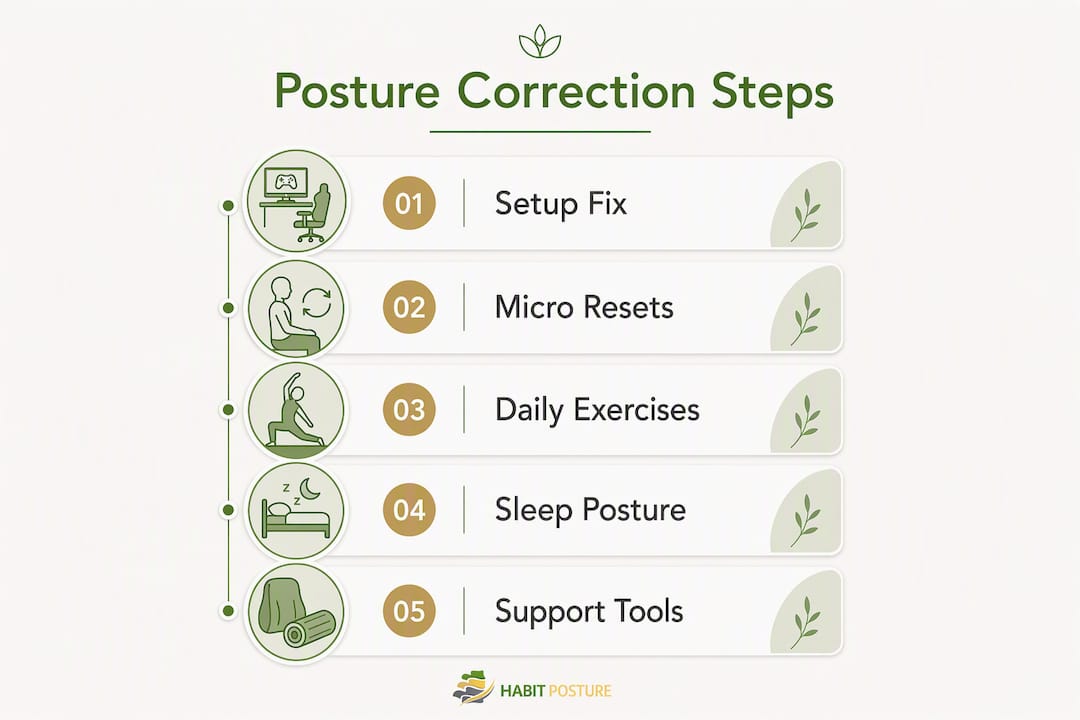
Raise your monitor so the top third of the screen sits at eye level, then set a timer for 30 minutes and do a 10-second chin tuck every time it goes off. That single combination reduces the forward pull on your cervical spine more than any stretch you can do after the fact. Here’s what to do right now, this session:
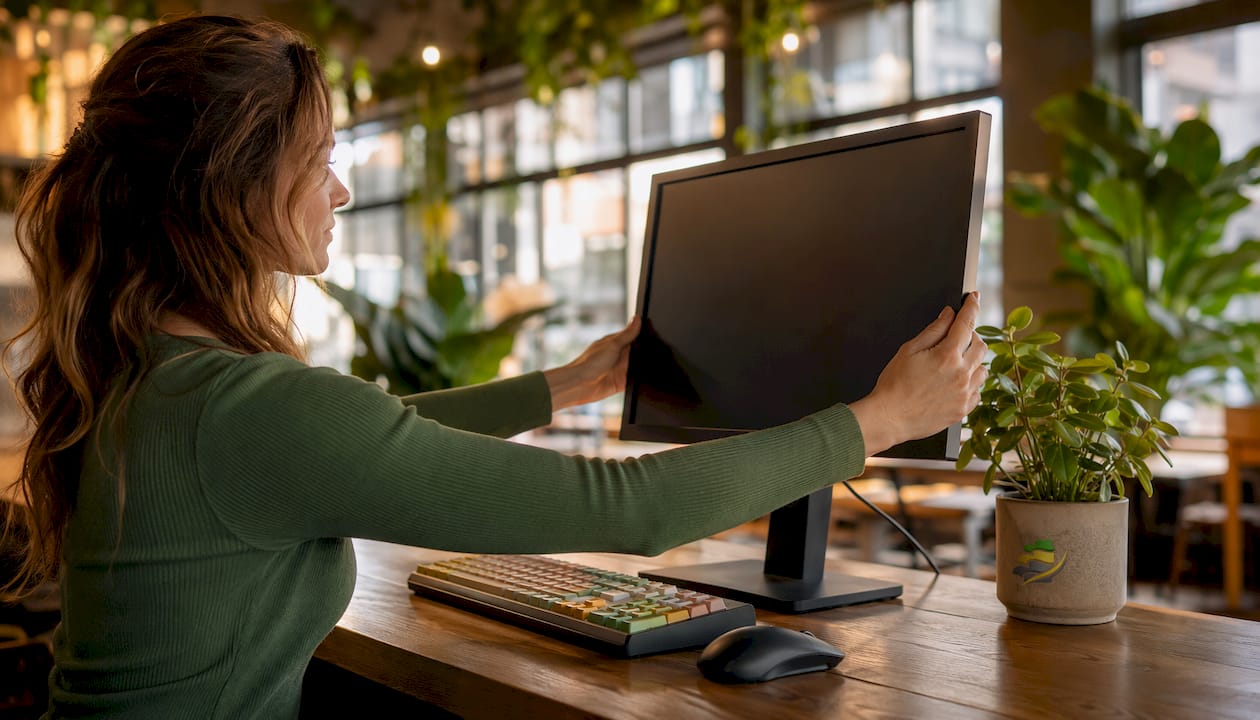
- Raise your screen. Stack books, a monitor riser, or a box under your display until the top third hits eye level. Monitor positioning is the most frequent ergonomic culprit for gamer-induced forward head posture.
- Sit back in your chair. Your lower back should touch the lumbar support. If you’re perched on the edge, slide back now.
- Do a chin tuck. Pull your chin straight back (not down) until you feel a gentle stretch at the base of your skull. Hold 5 seconds. Repeat twice.
- Check your headset. Heavy wired headsets pull your head forward. If yours weighs more than a pound, consider switching to a lighter or wireless option.
- Set a microbreak timer. Every 30 minutes, stand up, roll your shoulders back, and do 3 chin tucks. Two minutes total.
Pro Tip: During ranked matches or intense moments, you won’t remember to reset. Use map loads, round-end screens, or death cams as your cue instead of a timer. These natural pause points are free posture checks.
Table of Contents
- What is forward head posture and why does it hurt gamers?
- What in your gaming setup is actually causing this?
- In-session micro-resets you can do without leaving the chair
- Daily corrective exercises to retrain your neck alignment
- How to set up your gaming rig to stop fighting your posture
- A simple 4-week program and what to expect
- When should you see a clinician?
- How Habitposture’s lightweight system supports your retraining
- How your sleep posture affects neck alignment
- Adjunct tools and devices that support posture correction
- Key Takeaways
- The honest truth about fixing gamer posture
- References and further reading
- Your next step toward a pain-free gaming setup
What is forward head posture and why does it hurt gamers?
Forward head posture (FHP), sometimes called “tech neck” or “gamer neck,” happens when your ears drift in front of your shoulders rather than stacking directly above them. For gamers, it usually looks like a chin poke toward the screen combined with rounded shoulders. You may not notice it happening, but your neck certainly does.
The biomechanics are straightforward. Your head weighs roughly 10–12 pounds in a neutral position. For every inch it moves forward, the effective load on cervical structures increases substantially, multiplying the strain on the muscles, discs, and ligaments holding it up. That sustained overload is what drives the chronic tension headaches, upper-back stiffness, and neck pain that gamers know too well.
Stat to know: Survey data shows that 40–60% of office-based screen users report neck or shoulder pain, and gamers face similar postural patterns with even longer uninterrupted sessions.
FHP is primarily a soft-tissue adaptation. Your deep neck flexors weaken, your upper traps and suboccipitals tighten, and your thoracic spine stiffens into flexion. The good news: those adaptations are reversible with consistent strengthening, not just stretching.
What in your gaming setup is actually causing this?
Most forward head posture in gamers comes from a handful of fixable mechanical problems, not bad intentions.
- Monitor too low or too close. When the screen sits below eye level, your head naturally tilts down and forward to see it. When it’s too close, your eyes strain and your body leans in.
- Keyboard and mouse too far forward. Reaching forward for inputs pulls your shoulders and head with them.
- Sitting on the edge of your chair. Without back support, your lumbar spine collapses and your head follows.
- Leaning in during intense play. Visual urgency is real. When a match gets close, your body physically moves toward the screen without you deciding to.
- Headset weight and cable pull. A heavy headset shifts your center of gravity forward, especially during long sessions.
- Long uninterrupted sessions. Long gaming sessions significantly increase the risk of neck pain, eye fatigue, and wrist issues.
The ideal spatial setup in plain terms: Top third of your primary screen at or slightly below eye level. Screen at arm’s length (roughly 20–28 inches from your face). Elbows bent at roughly 90 degrees, close to your ribs. Feet flat on the floor or a footrest. If you game on a TV console from a couch, the same rules apply: prop the screen higher and sit with your back supported, not slumped.
For more on gamer posture patterns and how they develop over time, Habitposture’s breakdown is worth a read.
In-session micro-resets you can do without leaving the chair
Active microbreaks that include postural correction are more effective than purely passive rest for reducing forward head posture. Sitting still and “relaxing” doesn’t reset anything. These four moves take under 90 seconds and can be done between matches or during loading screens.
- Chin tuck (10 seconds). Sit tall, pull your chin straight back, hold for 5 seconds, release. Repeat twice. This reactivates your deep neck flexors and counteracts the forward drift.
- Scapular retraction (15 seconds). Squeeze your shoulder blades together and slightly down, as if you’re trying to hold a pencil between them. Hold 3 seconds, release, repeat 5 times. Keeps your upper back from rounding.
- Thoracic extension over chair back (20 seconds). Lean back over the top edge of your chair, arms crossed over your chest, and let your upper back extend gently. This is the single best in-chair move for reversing thoracic flexion.
- Neck rotation (15 seconds). Slowly turn your head left, hold 3 seconds, return to center, then right. No forcing. This maintains cervical mobility and reduces suboccipital tension.
Timing options: Every 30–60 minutes works well for most gamers. If you use a standing desk, the 20-8-2 rhythm (20 minutes sitting, 8 standing, 2 moving) is a practical alternative that keeps your body cycling through positions. The key is that the break includes movement, not just a pause.
Daily corrective exercises to retrain your neck alignment
Fixing forward head posture for good requires building strength in the muscles that hold your head back, not just stretching the ones that are tight. Here’s a short daily routine targeting deep neck flexors, scapular retractors, and thoracic mobility. It takes about 10–12 minutes.
- Isometric chin tuck (wall or supine). Lie on your back, flatten your neck toward the floor by tucking your chin. Hold 10 seconds. 3 sets of 10 reps. This is the foundation move for deep neck flexor retraining.
- Band pull-aparts. Hold a light resistance band at shoulder height, arms straight. Pull it apart until your arms are wide, squeezing your shoulder blades. 3 sets of 15 reps. Builds the scapular retractors that keep your shoulders back.
- Face pulls (cable or band). Pull toward your face with elbows high, finishing with your hands beside your ears. 3 sets of 12 reps. Targets rear deltoids and mid-traps.
- Doorway pec stretch. Place your forearm on a door frame at 90 degrees, step through gently until you feel a stretch across your chest. Hold 30 seconds each side. Tight pecs are a primary driver of rounded shoulders.
- Thoracic extension over foam roller. Place a foam roller perpendicular to your spine at mid-back, support your head, and extend gently. Spend 60 seconds working up and down the thoracic spine.
- Glute bridges. Lie on your back, feet flat, drive your hips up and hold 2 seconds at the top. 3 sets of 12 reps. Activates the posterior chain and supports an upright seated position.
Progression: In weeks 1–2, focus on form and consistency. In weeks 3–4, add 2–3 reps per set or increase band resistance slightly. For reactive neuromuscular training approaches that build dynamic cervical stability beyond basic strengthening, the HTK Training guide is a useful next step.
Pairing these exercises with a lightweight posture aid from Habitposture gives you real-time feedback during the day, so your body learns what “back” actually feels like between sessions.

How to set up your gaming rig to stop fighting your posture
Your setup either works with your body or against it. These are the concrete rules, not vague suggestions.
- Monitor height. Top third of the screen at or slightly below eye level. If you’re looking down more than 15 degrees, your screen is too low. For multi-monitor rigs, center your primary screen and angle secondaries inward so you’re not rotating your neck repeatedly.
- Monitor distance. Arm’s length, roughly 20–28 inches. Closer than that and you’ll lean in; farther and you’ll squint and crane forward.
- Chair setup. Lumbar support should sit in the curve of your lower back, not at your mid-back. Seat depth should leave 2–3 finger-widths between the back of your knee and the seat edge. A slight recline of 100–110 degrees reduces spinal load compared to sitting bolt upright. For detailed gaming chair setup guidance, Habitposture covers this specifically for long sessions.
- Armrests. Set them so your elbows rest at roughly 90 degrees with your shoulders relaxed, not shrugged. Armrests that are too high push your shoulders up; too low and you’ll lean to one side.
- Keyboard and mouse. Keep both close enough that your elbows stay near your ribs. If you’re reaching forward, you’re also pulling your head forward.
- Headset. Lighter is better for posture. Wireless headsets remove cable pull and tend to weigh less than wired alternatives. If you game on a laptop, an external keyboard is one of the highest-value ergonomic upgrades you can make.
- Console on TV. Sit at a distance where you don’t need to lean in. Use a chair with back support, not a floor cushion or couch slump. Prop the TV higher if needed.
A simple 4-week program and what to expect
Consistent strength training of deep neck flexors and upper back can reverse forward head posture. Most people notice measurable change in pain and alignment within 2–4 weeks of consistent practice.
| Week | Focus | Daily Time | Key Milestone |
|---|---|---|---|
| 1 | Setup fix + learn the moves | 10 min | Screen at eye level; chin tuck form correct |
| 2 | Build the habit | 10–12 min | Microbreaks every 30 min; exercises daily |
| 3 | Add load and frequency | 12–15 min | Increase band resistance; reduce pain score |
| 4 | Consolidate and self-assess | 12–15 min | Photograph posture; compare to week 1 |
How to measure progress:
- Take a side-profile photo at the start of week 1 and again at week 4. Look at where your ear sits relative to your shoulder.
- Rate your neck pain on a 0–10 scale each morning. Most people see a 2–3 point drop by week 3.
- Check chin protrusion: standing against a wall, can you touch the back of your head to the wall without forcing it? That’s a reliable alignment marker.
Active break protocols combined with strength training produce better outcomes than either approach alone. Stick to both.
When should you see a clinician?
Most gaming-related neck discomfort responds well to the steps above. Some symptoms, though, need professional evaluation before you self-treat.
See a physical therapist or your primary care provider if you notice:
- Neck pain that persists beyond 2 weeks despite consistent exercise and ergonomic changes
- Numbness, tingling, or weakness in your arms, hands, or fingers
- Headaches that are severe, sudden, or different from your usual tension headaches
- Dizziness or balance problems when you move your neck
- Pain that radiates down your arm or into your shoulder blade
A physical therapist is usually the right first stop for musculoskeletal neck issues. They can assess whether you have a disc, nerve, or joint component that changes the exercise approach. Your primary care physician is appropriate if you’re unsure whether the symptoms are musculoskeletal at all.
Before your appointment, prepare:
- A side-profile photo of your posture at your gaming setup
- A brief pain diary: when it hurts, what makes it worse, how long sessions are
- A list of your current exercises and any gear you’re using
- A description of your monitor height, chair type, and session length
This information cuts appointment time and helps the clinician give you a more specific plan.
How Habitposture’s lightweight system supports your retraining
Posture retraining works best when you get consistent feedback throughout the day, not just during your 10-minute exercise window. That’s the gap Habitposture fills.
- What it offers. Habitposture’s posture correctors and adjustable back braces are built for screen-based lifestyles. They’re lightweight, not bulky medical devices, and designed to be worn while you game, work, or do anything else at a desk.
- How to use it during gaming. Wear it for 1–2 hours per session while you game, not all day. The goal is feedback, not dependence. Your muscles should still be doing the work.
- Pair it with your exercises. Wearing a posture aid while doing your daily corrective routine reinforces the position your exercises are building. It’s a habit-formation tool, not a replacement for strength work.
- Avoid over-reliance. Passive braces alone can lead to dependence if worn constantly without active strengthening. Use Habitposture’s gear as a cue and a training aid, not a crutch.
Pro Tip: Wear your Habitposture corrector for the first 30 minutes of a gaming session when your posture is freshest. That’s when the feedback is most useful and the habit-formation signal is strongest.
Browse Habitposture’s full range of posture correctors and ergonomic gear to find the right fit for your setup.
How your sleep posture affects neck alignment
What happens during the 7–9 hours you’re horizontal matters as much as your gaming setup. Sleeping in a poor position can undo the progress you make during the day.
The two positions that support neutral cervical alignment are back sleeping and side sleeping with proper pillow height. Back sleeping with a supportive pillow that keeps your head level (not propped too high) allows your neck muscles to fully relax. Side sleeping works well when your pillow fills the gap between your ear and shoulder so your head doesn’t tilt down or up.
Stomach sleeping is the one to avoid. It forces your neck into sustained rotation for hours, which directly aggravates the same structures that gaming strains. If you’re a habitual stomach sleeper, placing a pillow under your abdomen reduces the spinal twist and makes transitioning to side sleeping easier over time.
An ergonomic cervical pillow, shaped to support the natural curve of your neck, can make a meaningful difference if you wake up stiff. Look for one with a contoured profile rather than a flat or overly thick design.
Adjunct tools and devices that support posture correction
No single device fixes forward head posture on its own. But the right tools, used correctly, accelerate the process.
Posture braces and correctors provide proprioceptive feedback, reminding your body where “back” is. Habitposture’s adjustable braces are designed for this purpose: lightweight enough to wear during screen time, firm enough to register when you drift forward. Use them as a training aid alongside active exercise, not as a substitute for it.
Ergonomic pillows (cervical contour pillows) support neutral neck alignment during sleep, which is when your muscles recover. A well-fitted cervical pillow reduces morning stiffness and complements the strengthening work you do during the day.
Foam rollers are one of the most underused tools for thoracic mobility. A standard 36-inch high-density roller costs under $30 and addresses the thoracic stiffness that drives so much of gamer neck. Two minutes of thoracic extension over a roller before your gaming session makes a noticeable difference in how easily you maintain an upright position.
Massage guns help release tension in the upper traps and suboccipitals after long sessions. Habitposture carries massage guns designed for recovery use. Apply to the upper traps and the base of the skull for 60–90 seconds per side, keeping the device moving rather than pressing into one spot. For a structured mobility restoration approach that pairs well with these tools, the HTK Training checklist is worth bookmarking.
Key Takeaways
Consistent in-session micro-resets combined with a daily corrective exercise routine produce measurable improvement in neck alignment and pain reduction within 2–4 weeks.
| Point | Details |
|---|---|
| Immediate setup fix | Raise your screen so the top third sits at eye level and sit fully back in your chair. |
| In-session habit | Do active chin tucks and scapular retractions every 30 minutes, not passive rest breaks. |
| Daily exercise routine | 10–12 minutes of deep neck flexor and upper back strengthening, every day for 4 weeks. |
| Realistic timeline | Most gamers notice reduced pain and improved alignment within 2–4 weeks of consistent practice. |
| Habitposture support | Habitposture’s lightweight posture correctors provide real-time feedback during gaming to reinforce the habit between exercise sessions. |
The honest truth about fixing gamer posture
Most posture advice misses the point for gamers. It tells you to “sit up straight” as if willpower is the missing ingredient. It isn’t. Your postural muscles are simply undertrained for the demands of long gaming sessions, and no amount of reminding yourself to sit better will change that.
What actually works is small, frequent resets combined with consistent strengthening. Not a one-hour yoga session on Sunday. Not a posture brace worn 24/7. The gamers who see real change are the ones who treat posture like a skill: they practice it in short bursts, build the supporting muscles, and use tools like Habitposture’s gear for feedback rather than as a fix. The goal isn’t a rigid, perfect spine. It’s a body that can move between positions comfortably and recover quickly when it drifts. That’s achievable in 2–4 weeks if you’re consistent. And it’s worth it, not just for the neck pain, but for how much better you’ll feel at hour four of a session.
References and further reading
The sources below back the claims in this article and offer deeper reading on each topic.
| Source | What it covers |
|---|---|
| OSHA Ergonomics | U.S. workplace ergonomics standards; monitor and workstation setup guidelines |
| PMC: Activity breaks and musculoskeletal outcomes | Evidence that active breaks outperform passive rest for reducing postural strain |
| PMC: Neck pain and screen use | Peer-reviewed data on neck pain prevalence in screen-based populations |
| PMC: Sedentary behavior and musculoskeletal health | Research on sedentary behavior and its musculoskeletal consequences |
| NASM: Fixing forward head posture | Exercise-based protocol for correcting FHP from a certified training authority |
| Habitposture: Gamer posture guide | Habitposture’s breakdown of posture patterns and corrective routines for gamers |
| Habitposture: Ergonomics in your gaming setup | Ergonomic principles applied specifically to gaming rigs |
To go deeper on any topic, start with the PMC peer-reviewed articles for the clinical evidence, OSHA for setup standards, and NASM for exercise protocols. Habitposture’s blog covers the practical application side for gamers specifically.
Your next step toward a pain-free gaming setup
You’ve spent time reading about how to fix your neck posture while gaming. Now you need gear that works while you do. Habitposture’s posture correctors and ergonomic accessories are built for exactly this: screen-based lifestyles where you need support that fits into your routine, not around it.
No bulky braces. No guilt trips. Just a lightweight system that gives your body the feedback it needs to relearn good posture while you game, work, or binge. Pair it with the exercises and setup changes in this article, and you have a complete plan.
Browse the full Habitposture collection and find the right posture support gear for your setup. Your neck will thank you by hour two.